CybertelieR
Issue 327 · Winter 2026

Studies

Editorial study / InterfaceCybertelier / Entry 001Volume 01 / 2026

A Personal TV OS, editorial by design.

Original OS ConceptCompletedBuilt, tested and running on the TV as its home screen.

A user-centric interface that pairs cinematic artwork with precise, responsive navigation.
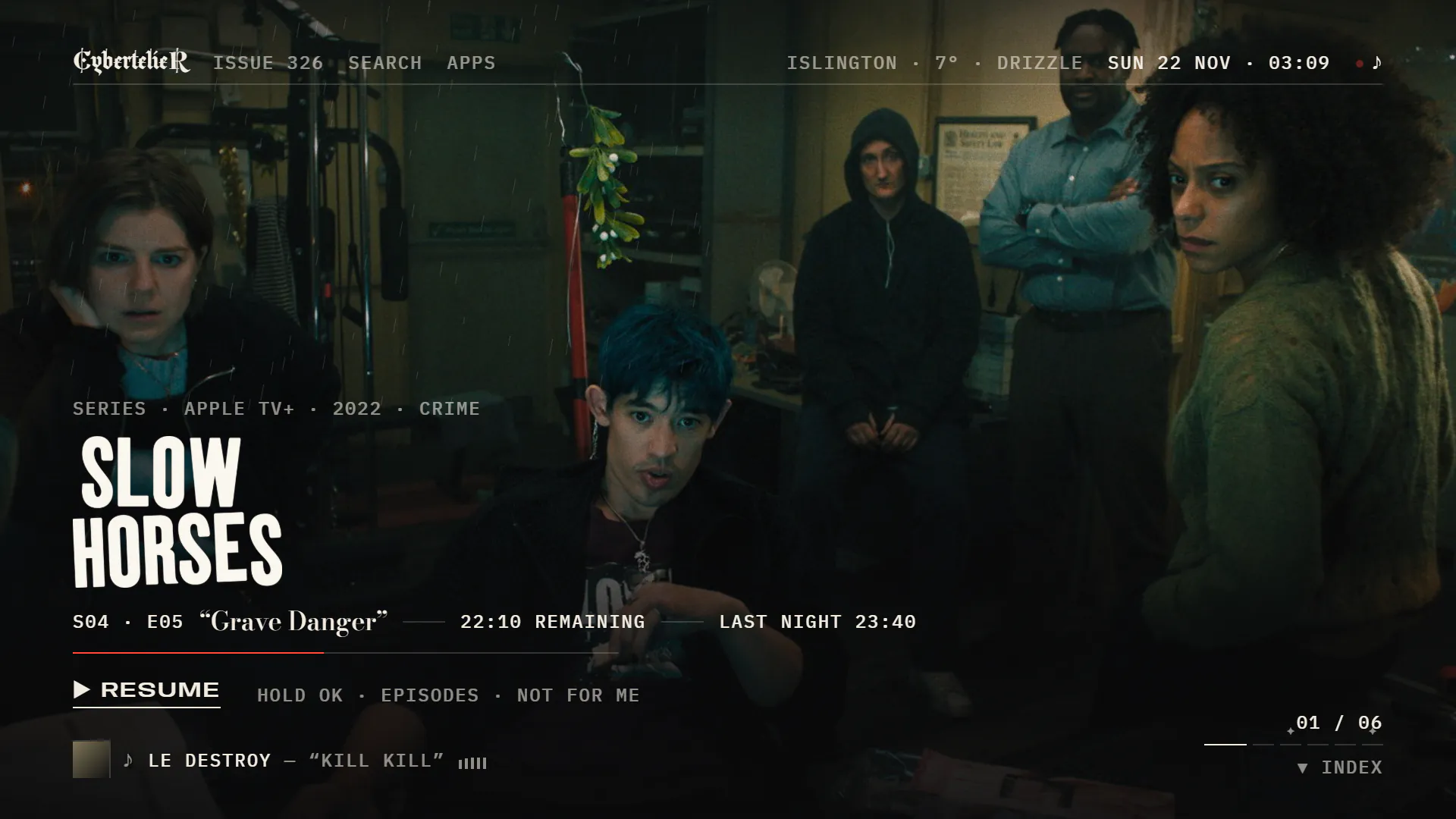
Custom TV OS Cover home screen: a full-bleed resume hero with masthead, credit line, episode telemetry, progress rule, actions and soundtrack colophon, with illustrative third-party show artwork

The brief

An issue, published for one reader, every time you press Home.

A personal alternative to the crowded TV storefront

The problem

Modern Smart TV operating systems prioritise ad-tech revenue and background surveillance over viewer intent, resulting in sluggish, cluttered interfaces. AI coding agents provide users with freedom and agency to strip away corporate bloatware and reclaim speed, privacy, and control. Viewers Are Using AI to Make Their Smart TVs Dumb Again.

The goal

Custom TV OS are an indictment of modern platform design, proving product teams that refuse to respect user attention, whitespace, and device ownership have abandoned the living room. Cybertelier is the antidote: a screen re-authored as a private issue.

The story

Artwork is the interface.

Five interactions, from boot to idle

  1. Step 01 / 05 · Boot

    Television couture, reimagined.

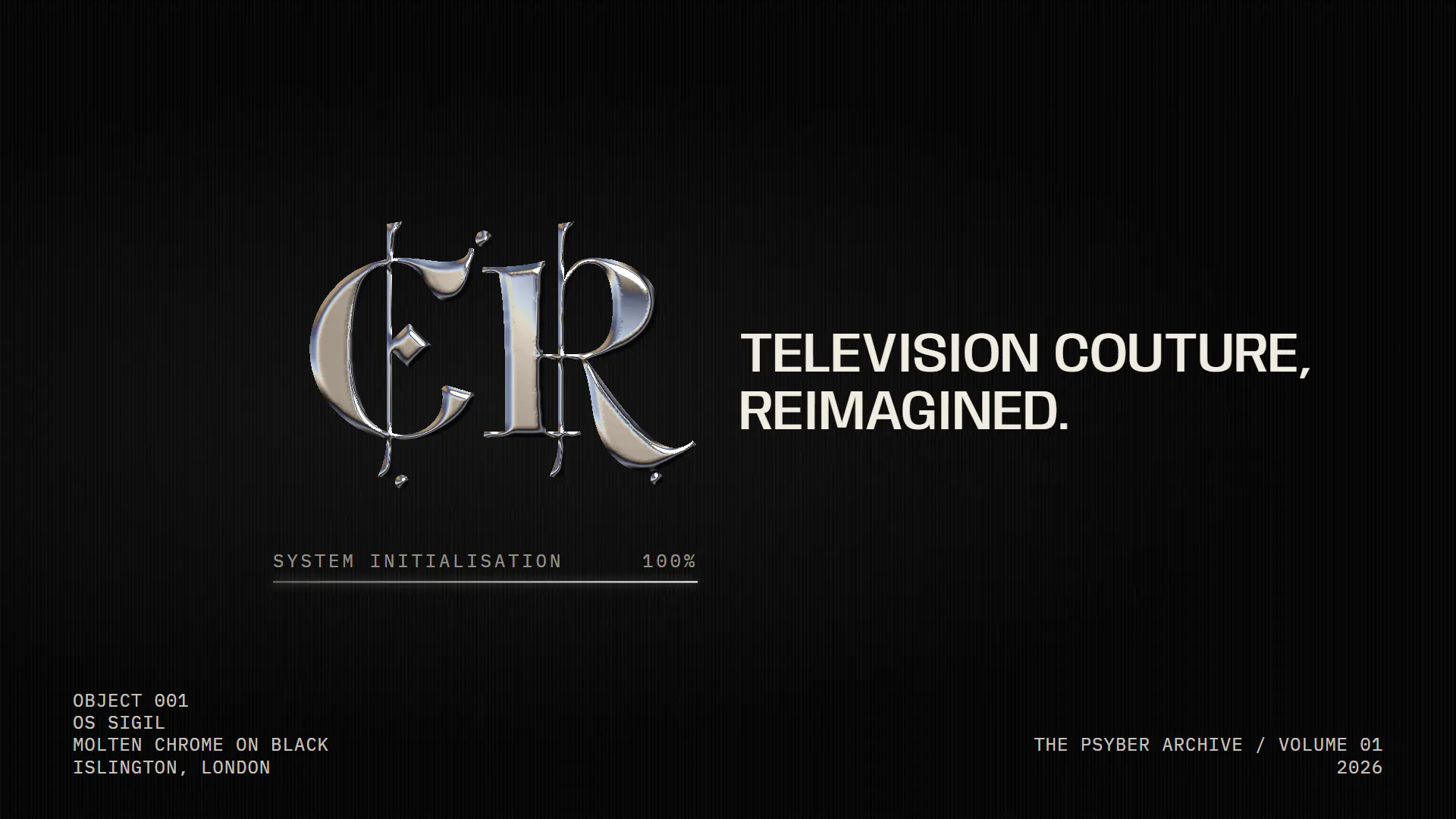
    Plate I, “Object 001”: the CR monogram, the OS sigil, forms in molten chrome beside the system-initialisation bar. Plate II flashes the CybertelieR wordmark, then dissolves into the Cover. Any key skips the boot sequence and opens the Cover.
    Plays on cold start and screen-on only, never on a Home press.

    Custom TV OS boot sequence, plate I: the molten chrome CR seal forms beside the system-initialisation bar
  2. Step 02 / 05 · The cover

    An interface with a point of view.

    Left and right flip covers. Down goes to the Index. Up goes to the masthead. OK runs the primary action. Back on the Cover does nothing: Home is the floor.
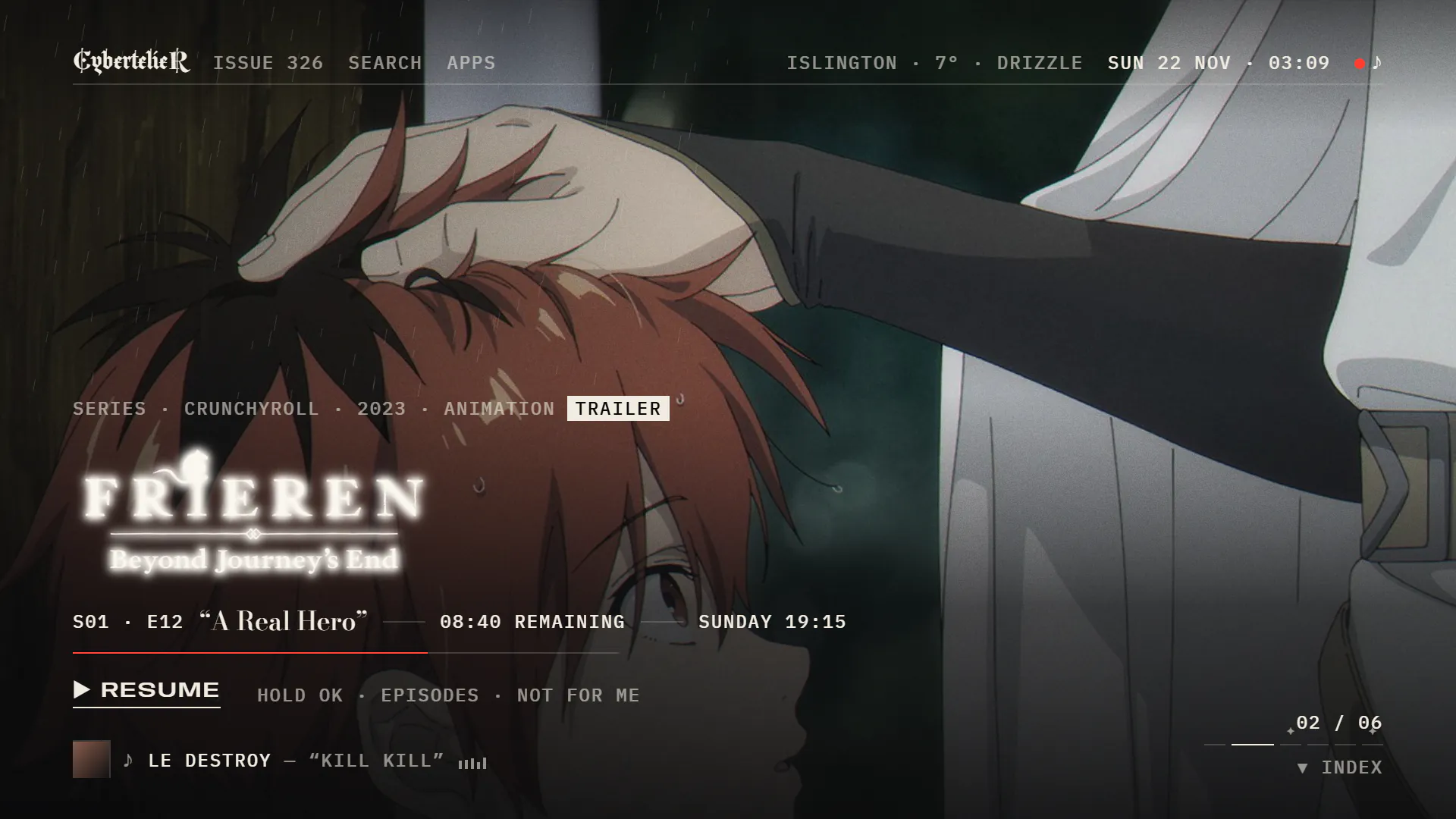
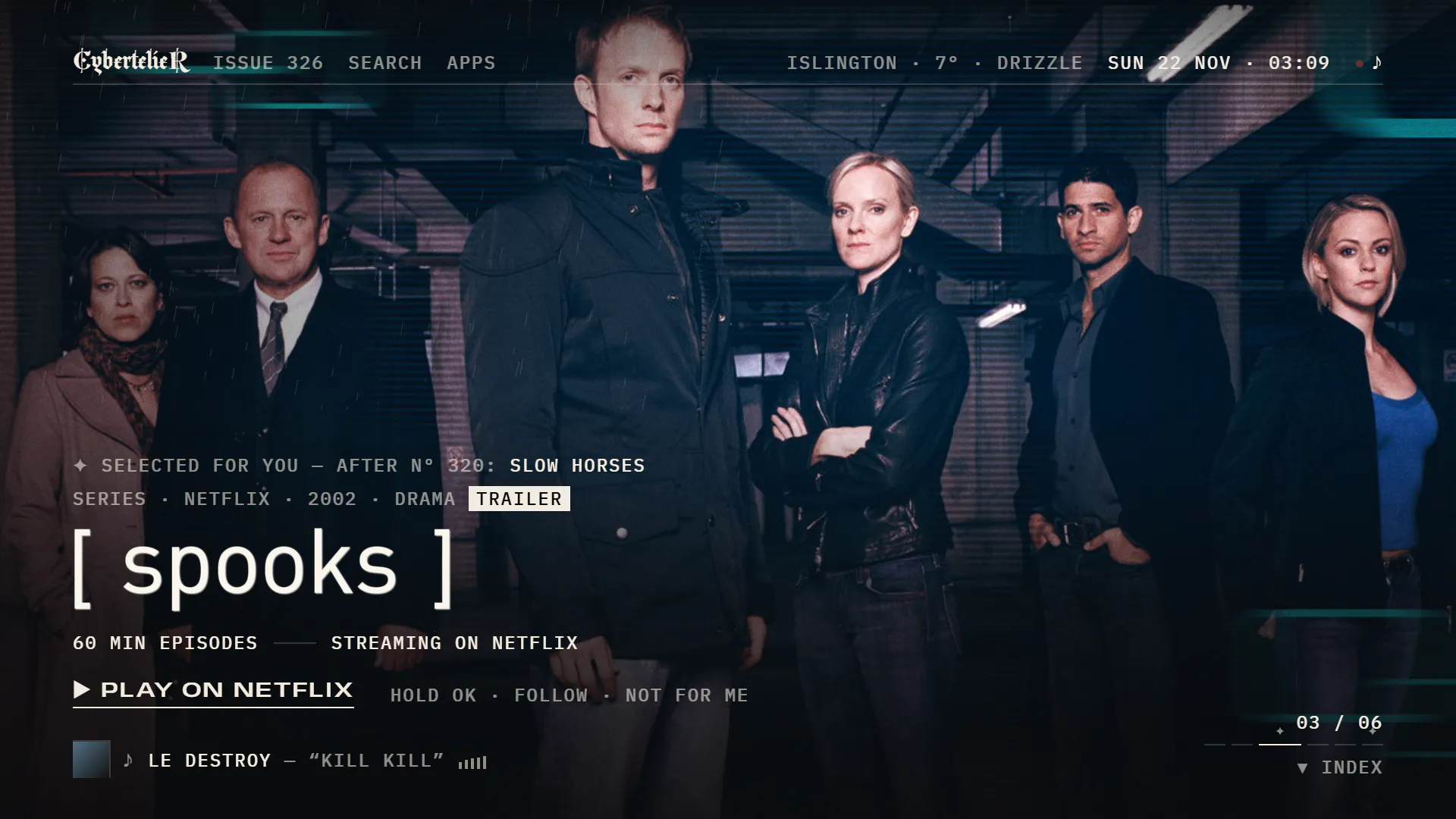
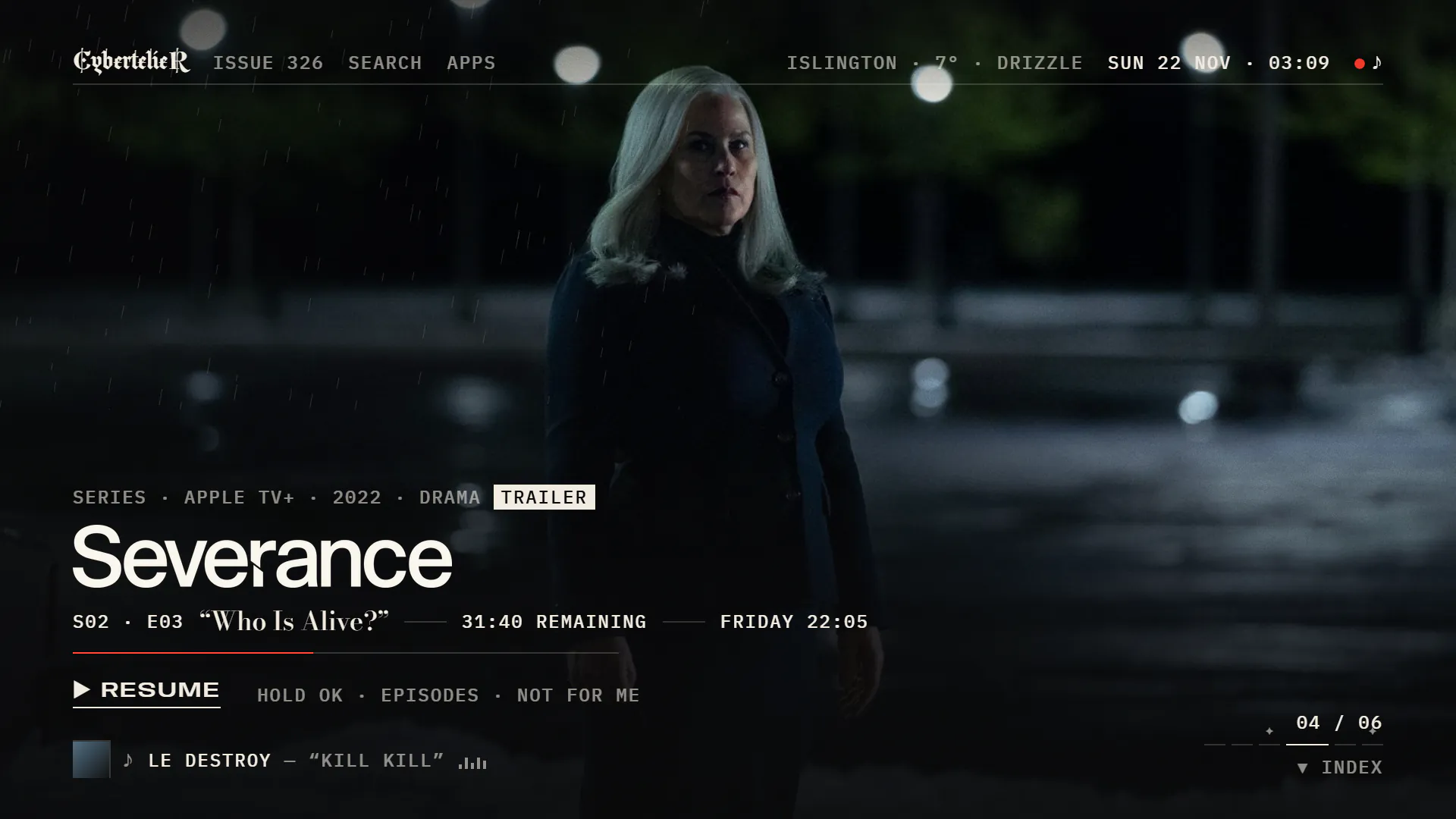
    Custom TV OS Cover home screen: a resume cover with title logo, remaining time and trailer tag, with illustrative third-party show artwork
  3. Step 03 / 05 · The index

    Your library, laid out like an archive catalogue.

    Press Down to open the Index; the Cover recedes as the archive comes forward: numbered and ruled, with hairlines and mono reference codes.
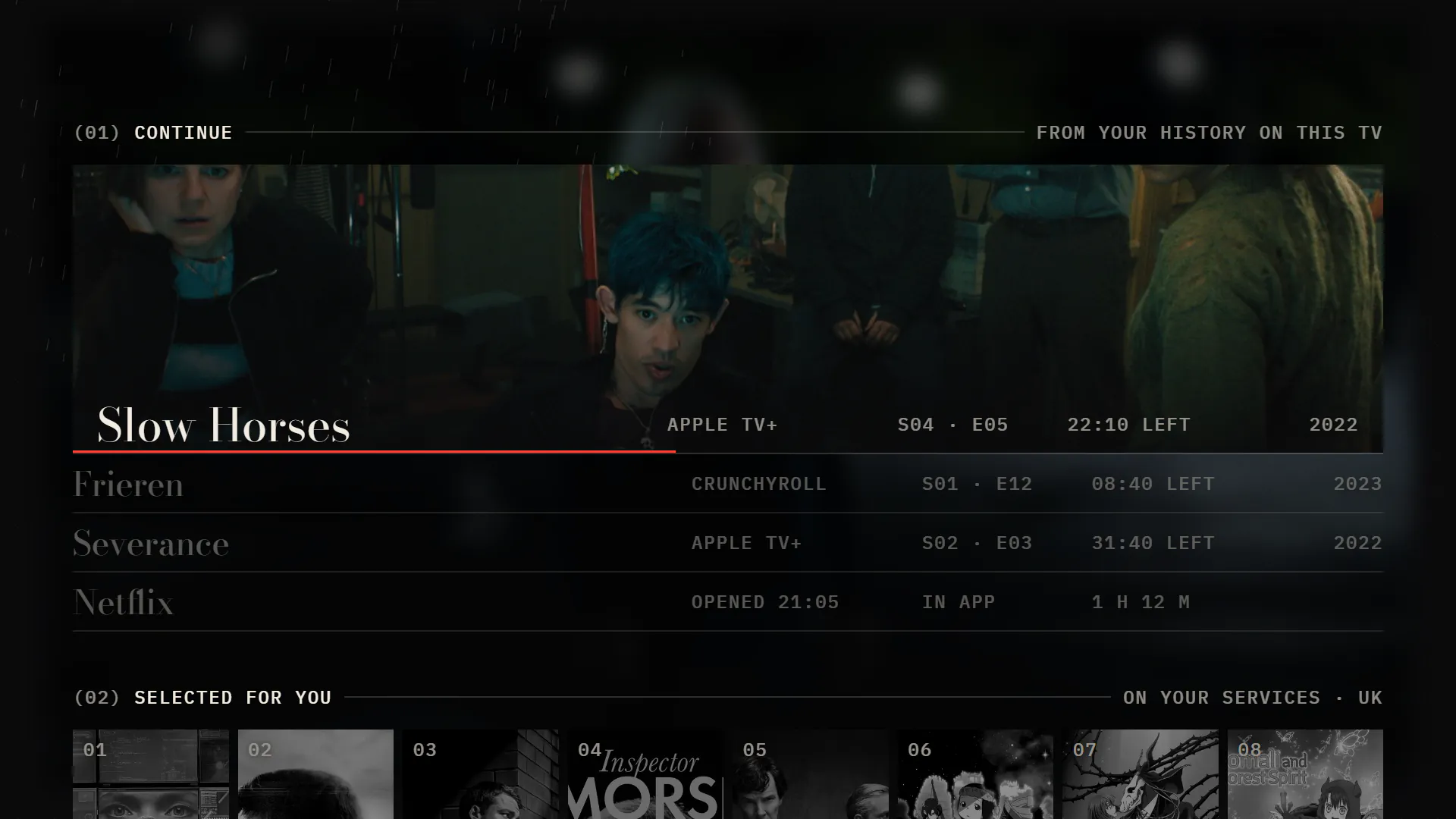
    The Cover plane scales to 0.94, dims 40% and takes one cached blur. The Index rises 120 px with the rows staggered, finishing in reframe.

    Custom TV OS Index, section 01 Continue: editorial rows of partly watched titles with service, episode and time left, with illustrative third-party show artwork
  4. Step 04 / 05 · The screening

    Arrival is quiet.

    Rest on the Cover and the trailer plays: muted, chromeless, letterboxed to 2.39:1. Pressing Home never auto-plays. Any key stops it immediately.
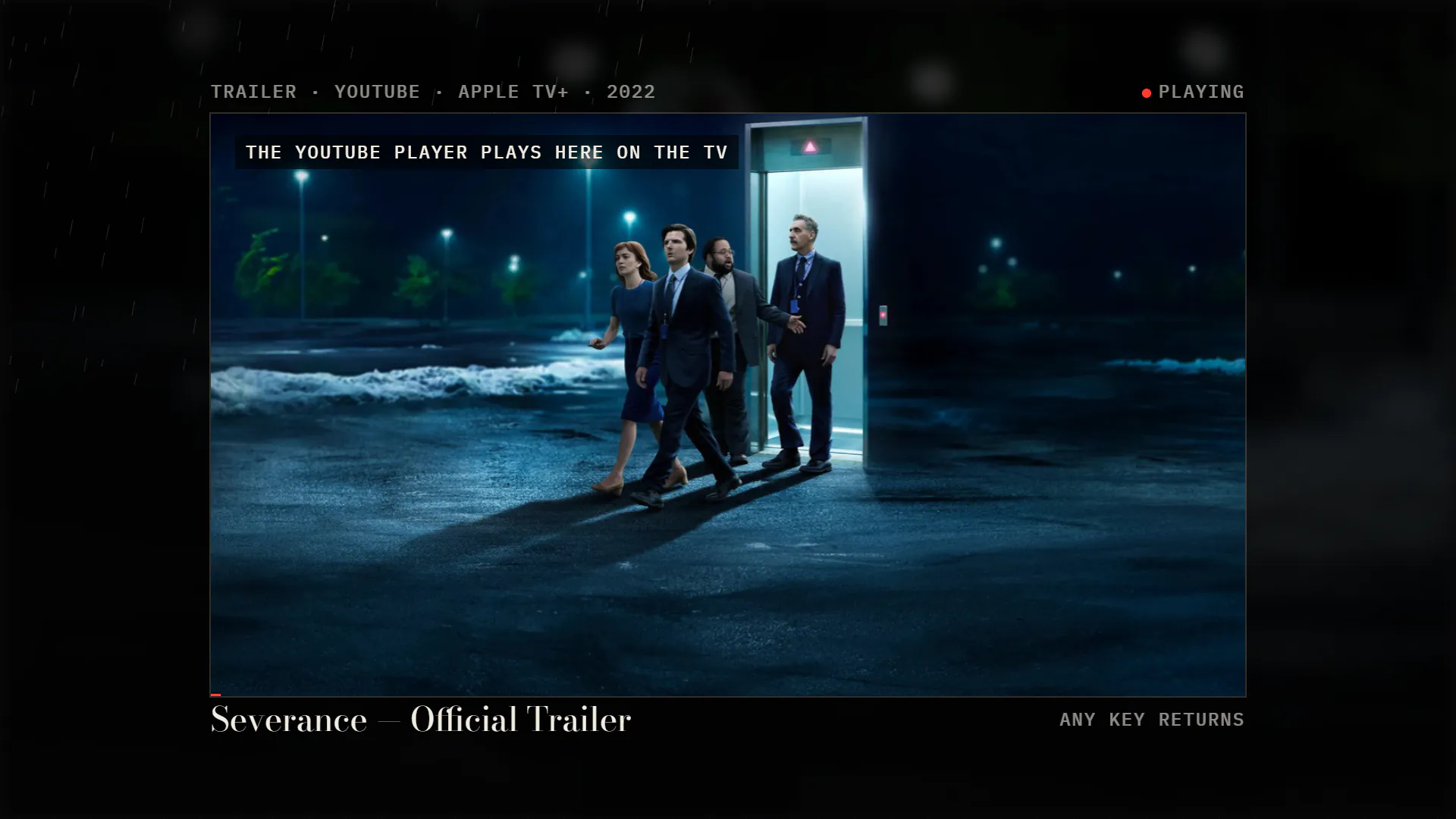
    Starts after 2.2 s resting on the Cover; arms only after your first flip on that visit.

    Custom TV OS Cover trailer state: after a 2.2 s dwell the trailer plays in a framed plate, with illustrative third-party show artwork
  5. Step 05 / 05 · The idle clock

    At rest, only the time.

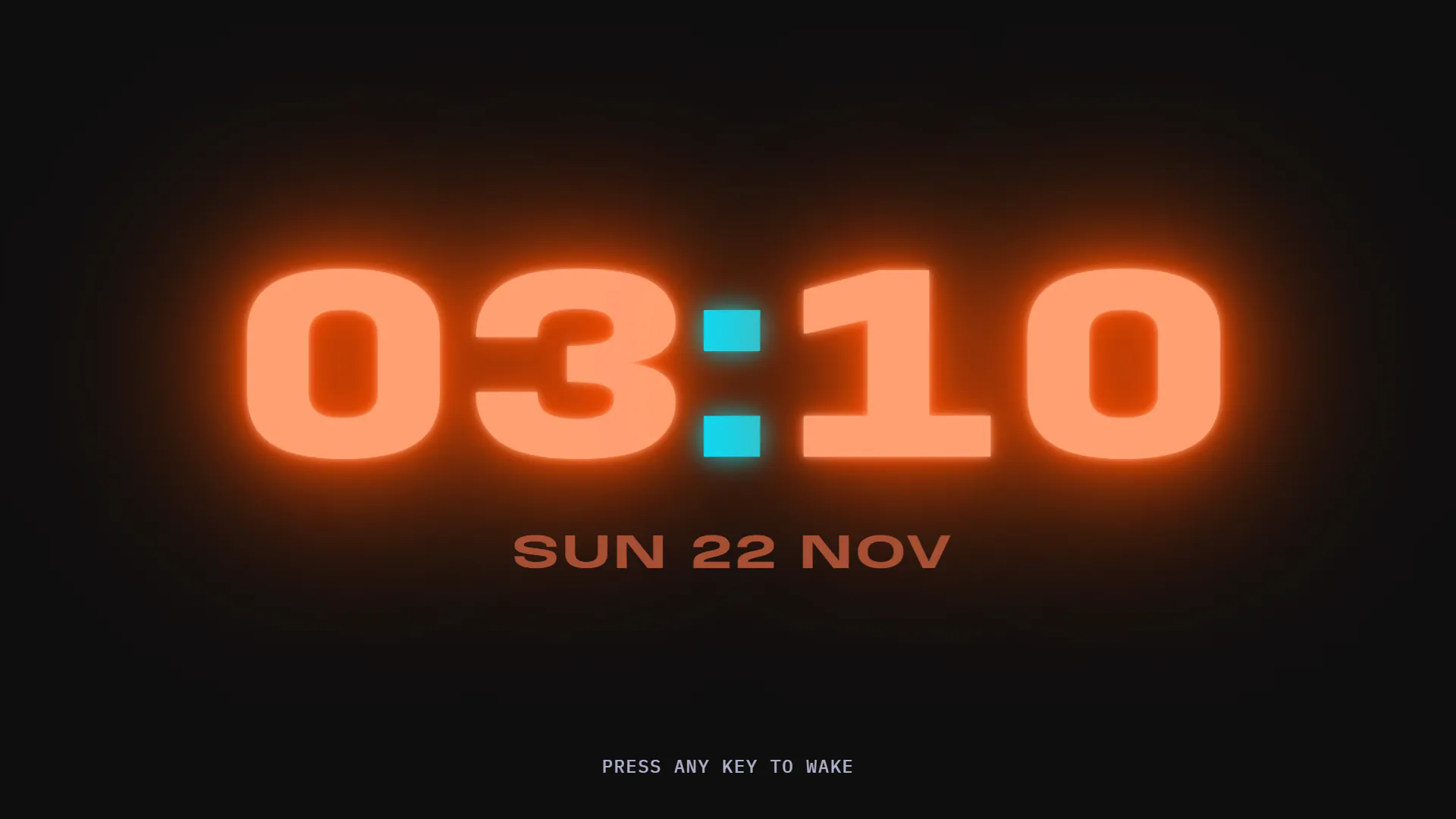
    After five minutes without a key press the screen goes to obsidian: the time in Bodoni Moda, the long date and the weather in mono, the CybertelieR mark at the foot. It drifts a little each minute so nothing burns in. The first key only wakes the screen.
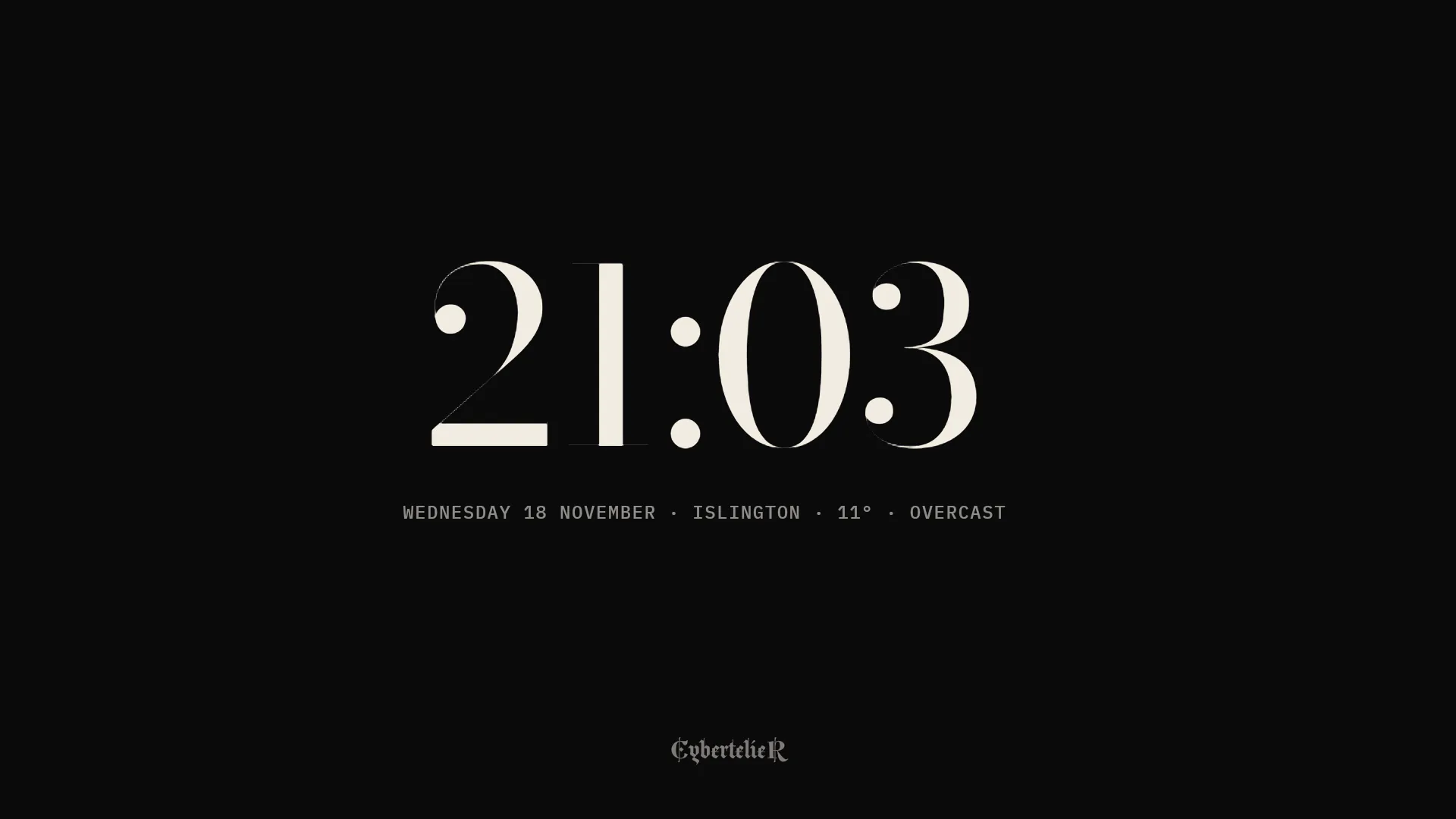
    Custom TV OS idle clock, on-TV capture: the time in Bodoni Moda on obsidian, the date and local weather in mono, the CybertelieR mark at the foot
Custom TV OS boot sequence, plate I: the molten chrome CR seal forms beside the system-initialisation bar
Custom TV OS Cover home screen: a resume cover with title logo, remaining time and trailer tag, with illustrative third-party show artwork
Custom TV OS Index, section 01 Continue: editorial rows of partly watched titles with service, episode and time left, with illustrative third-party show artwork
Custom TV OS Cover trailer state: after a 2.2 s dwell the trailer plays in a framed plate, with illustrative third-party show artwork
Custom TV OS idle clock, on-TV capture: the time in Bodoni Moda on obsidian, the date and local weather in mono, the CybertelieR mark at the foot

The object · Cover

One title becomes the whole screen.

Custom TV OS Cover home screen with its original interface elements marked: masthead, credit line, telemetry, actions, soundtrack colophon and paginator, over illustrative third-party show artwork
  1. 01 Masthead
  2. 02 Credit line
  3. 03 Telemetry
  4. 04 Actions
  5. 05 Soundtrack colophon
  6. 06 Paginator · Index

Pillars

Built to feel effortless.

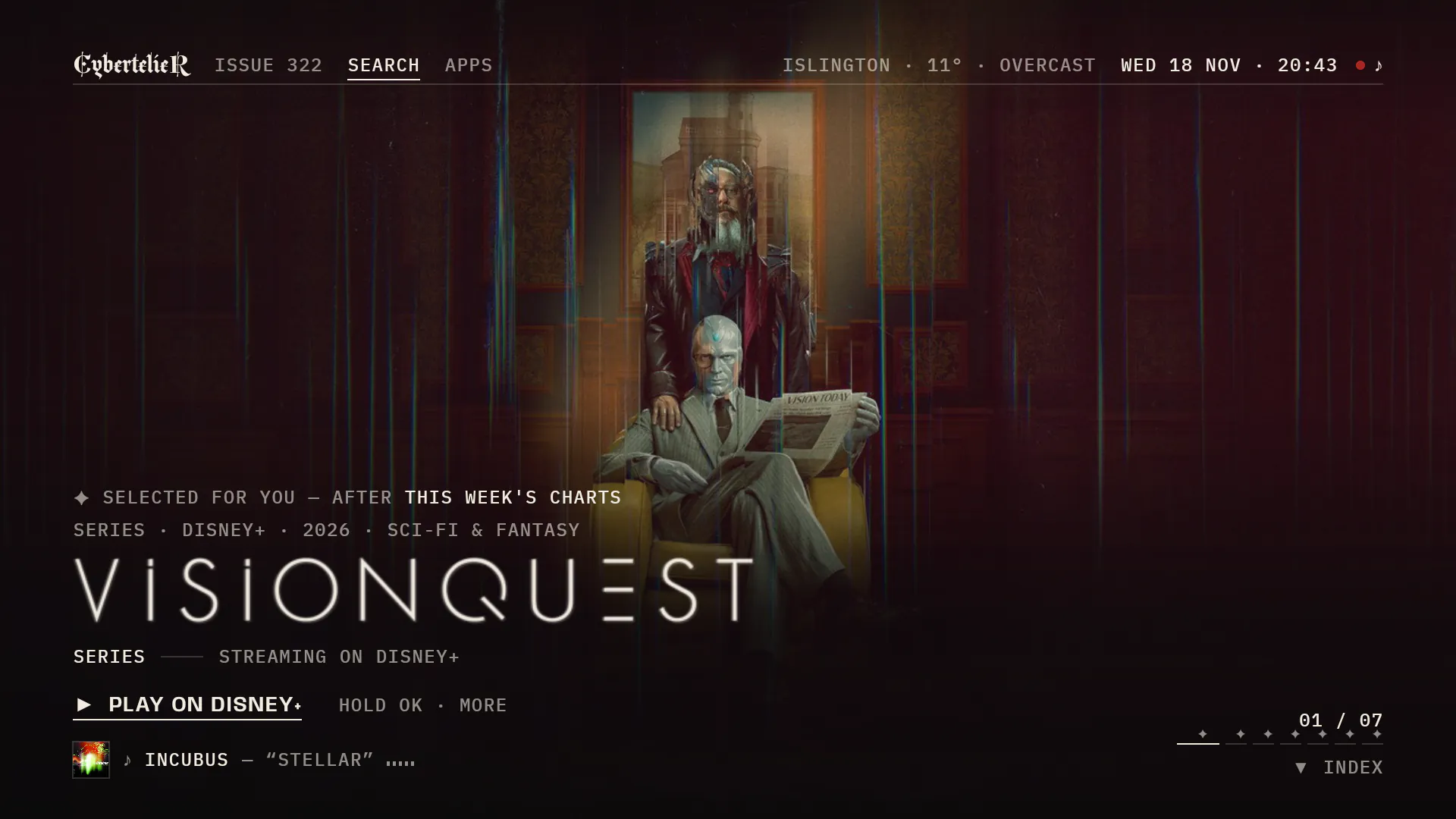
  1. Custom TV OS Cover home screen: a Selected for you discovery cover seeded from viewing history, with illustrative third-party show artwork

    01The cover

    A living first impression.

    Full-bleed artwork leads; a serif voice and precise readouts give it the poise of a magazine cover.
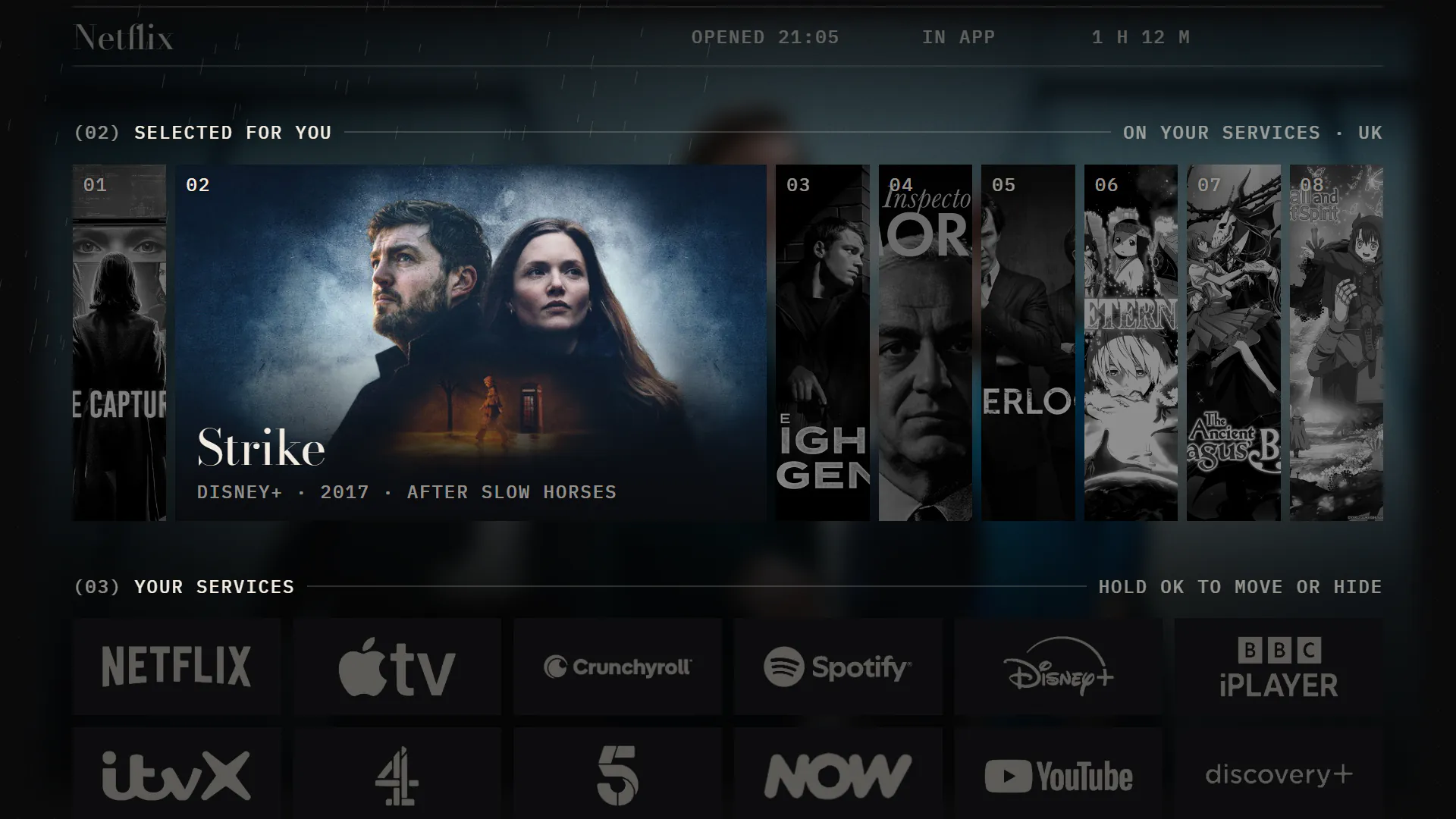
  2. Custom TV OS Index, section 02 Selected for you: a numbered strip that expands the focused poster into a backdrop, with illustrative third-party show artwork

    02The index

    Discovery, made legible.

    A personal archive replaces the crowded storefront: numbered entries, hairline rules, useful metadata and enough room for every image to breathe.

  3. Custom TV OS soundtrack colophon: the now-playing credit set under the Cover’s actions, with illustrative third-party show artwork

    03The soundtrack

    The system has a pulse.

    Playback becomes a considered credit, not another widget. Motion is weighted and interruptible; depth comes from planes and focus, never spectacle.

  4. Custom TV OS boot seal: the chrome CR monogram on black

    04Principles

    Luxury with integrity.

    01 Pictures do the luxury. 02 Depth, not spectacle. 03 Slow is smooth. 04 One of each: one loud accent, one moving image, one loop.

The object · Index

Archive logic, quiet structure.

Custom TV OS Index with its original interface elements marked: section markers, the open band with its progress rule, and the collapsed bands, over illustrative third-party show artwork

The Index, section 01 Continue: the focused band opens over a living still, one band open at a time.

  1. 01 Section marker
  2. 02 Band, open · progress rule
  3. 03 Bands, collapsed
  4. 04 Section marker · strips
Technical note

Decision Collapsed bands are 72 px high, the serif name and mono columns on one baseline.

The object · Apps

Every app, in one editorial index.

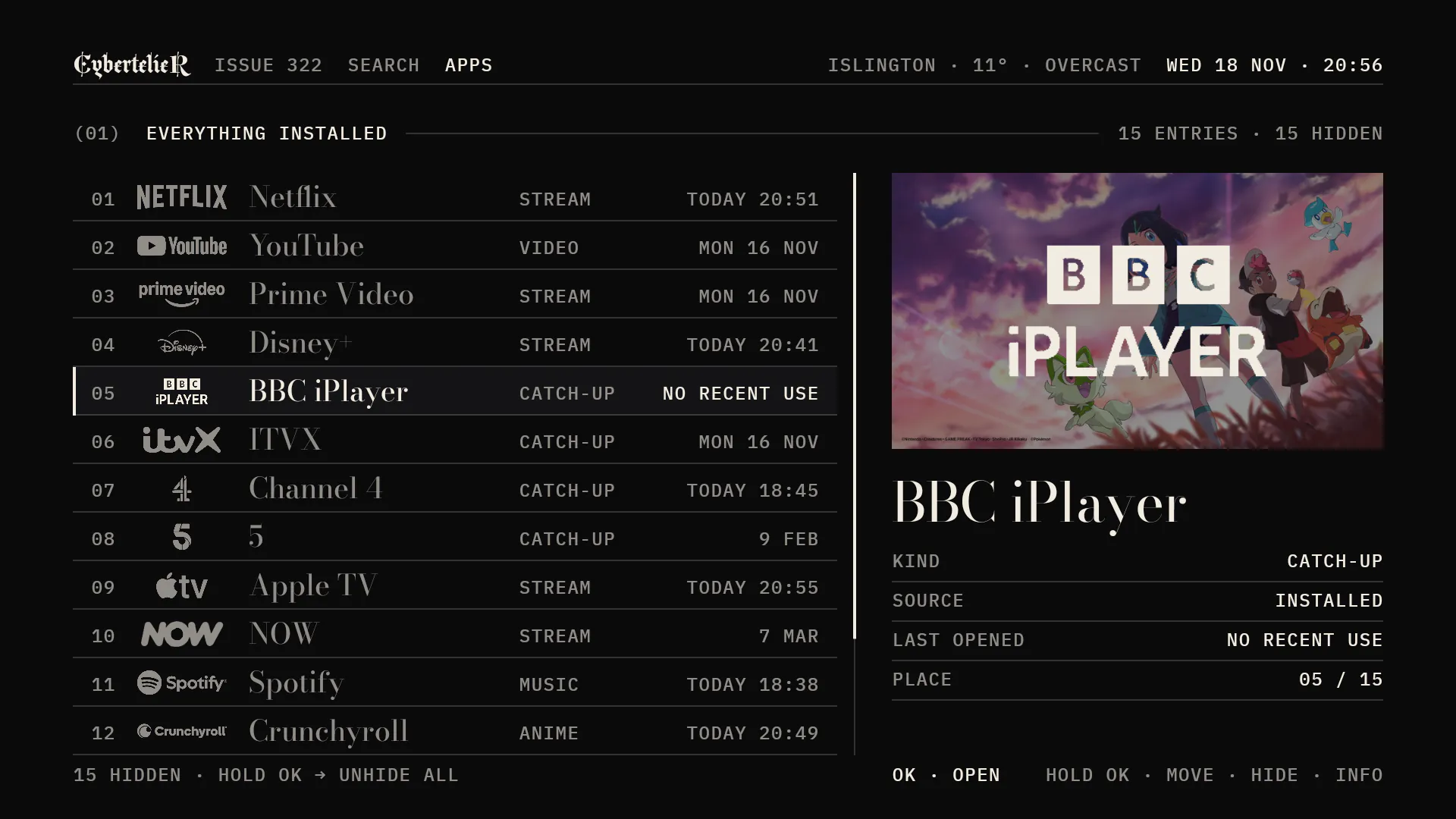
Custom TV OS Apps page on the TV with its original interface elements marked: masthead, section marker, numbered list, fixed kind and last-opened columns, focus band, scroll gauge, the focused-app plate’s ruled facts and key hints, with illustrative third-party app marks and artwork

Every launchable app, in saved order, as one list beside a plate.

  1. 01 Masthead
  2. 02 Section marker
  3. 03 Numbered list
  4. 04 Fixed columns
  5. 05 Scroll gauge
  6. 06 Focus band
  7. 07 Plate · ruled facts
  8. 08 Key hints
Technical note

Constraint The index has to show last opened for every app at once and stay readable at 40+ entries.

Decision A numbered list with fixed columns beside a plate of ruled facts for the focused app.

Contact sheet

An issue, made personal.

  1. 01

    Custom TV OS boot, plate I: the molten chrome CR seal beside the system-initialisation bar

    Boot · plate I

  2. 02

    Custom TV OS boot, plate II: the CybertelieR wordmark flash before the dissolve into the Cover

    Boot · plate II

  3. 03

    Custom TV OS Cover: full-bleed resume hero with episode telemetry, progress line and soundtrack line, with illustrative third-party artwork

    Cover · resume Selected · key frame

  4. 04

    Custom TV OS Cover: resume cover with the trailer tag armed after dwell, with illustrative third-party artwork

    Cover · trailer tag

  5. 05

    Custom TV OS Cover trailer state: the trailer plays in a framed plate, with illustrative third-party artwork

    Cover · screening

  6. 06

    Custom TV OS Index, section 01 Continue: editorial rows of partly watched titles, with illustrative third-party artwork

    Index · 01 Continue

  7. 07

    Custom TV OS Index, section 02 Selected for you: numbered poster strips, with illustrative third-party artwork

    Index · 02 Selected

  8. 08

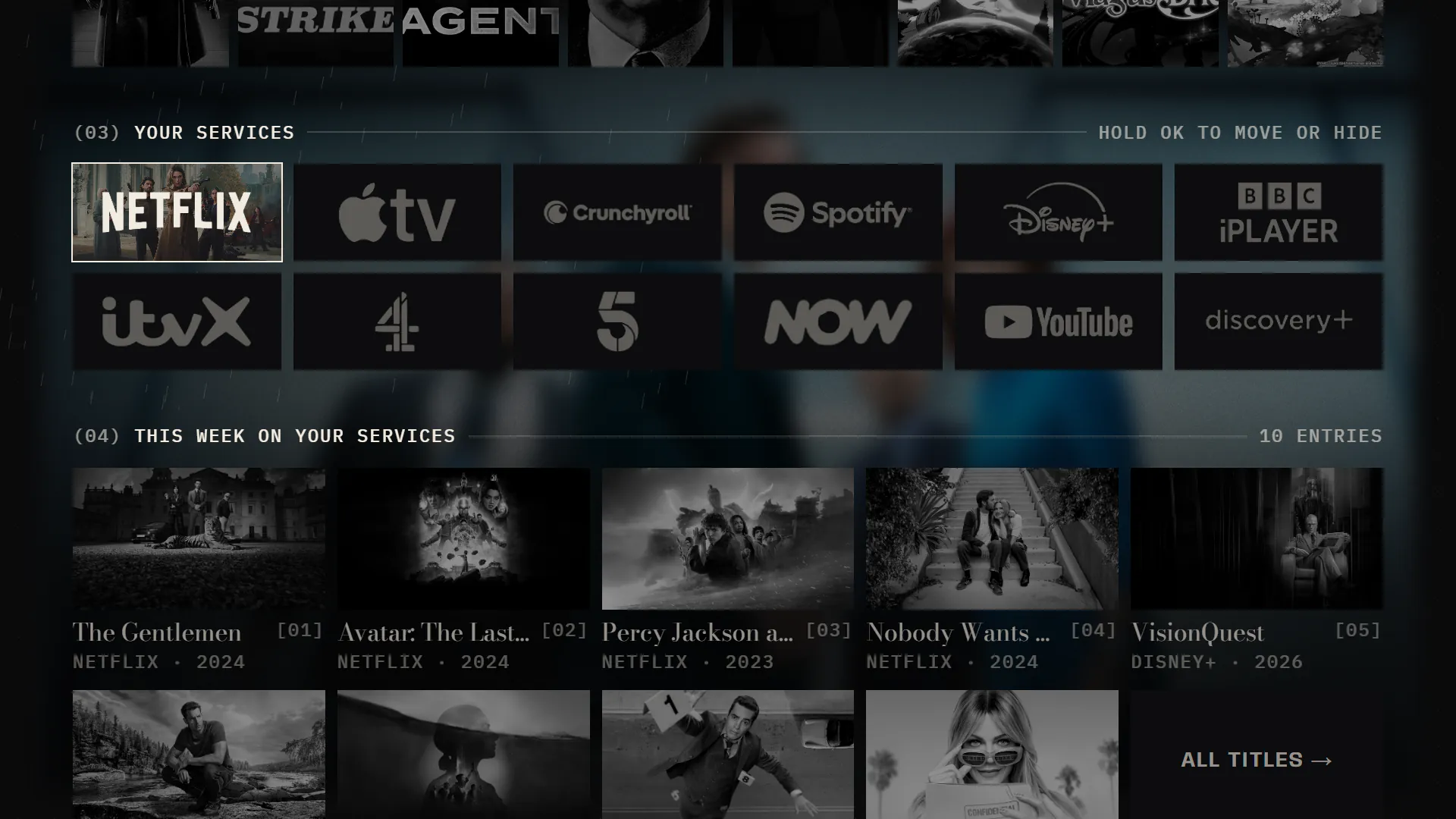
    Custom TV OS Index, section 03 Your services: grid of installed services, with illustrative third-party app marks

    Index · 03 Services

  9. 09

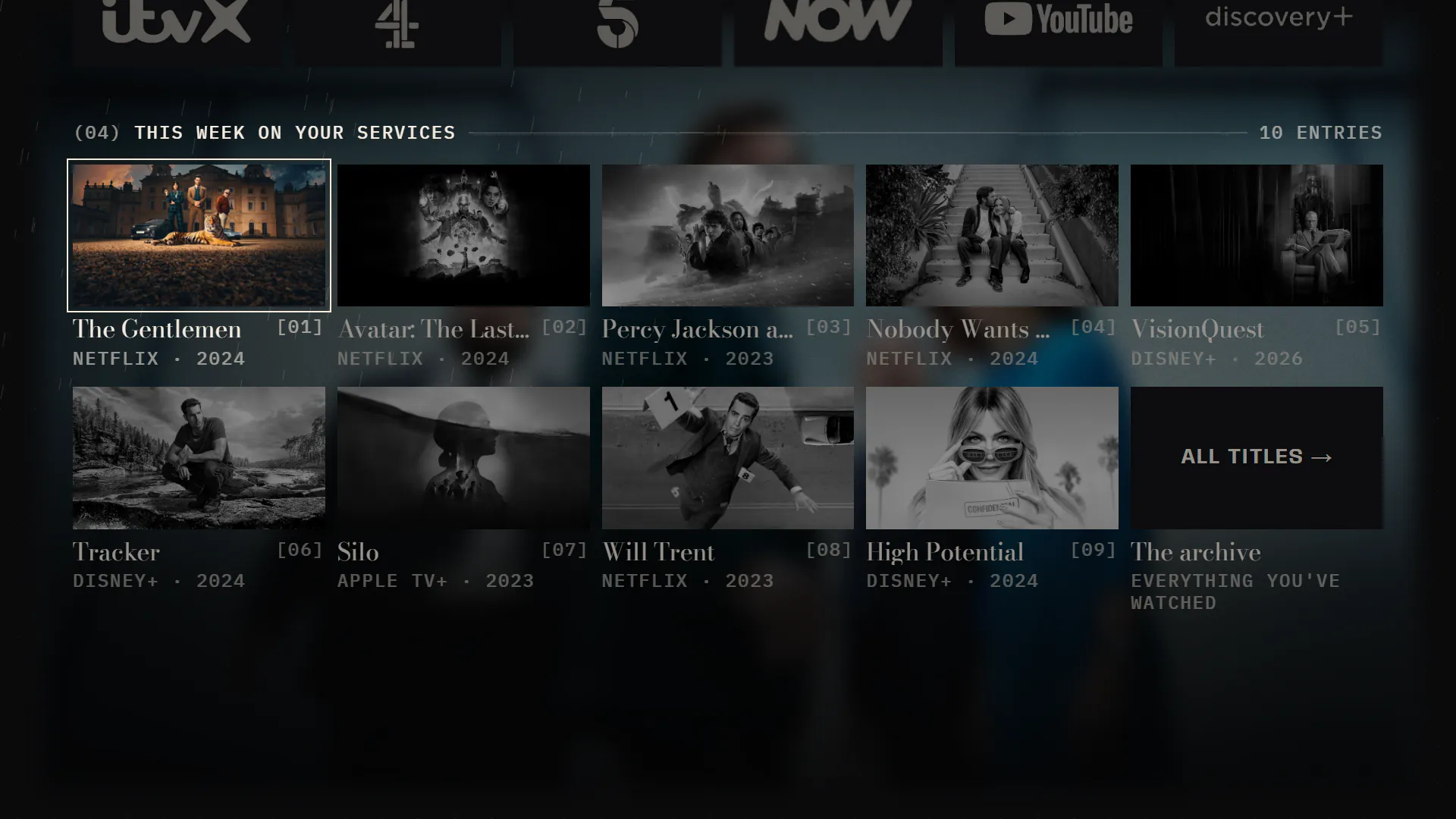
    Custom TV OS Index, section 04 Archive: graded grid of this week’s titles, with illustrative third-party artwork

    Index · 04 Archive

  10. 10

    Custom TV OS masthead focus on the TV: Search underlined, the way up into Search and Apps, with illustrative third-party artwork

    Production · Masthead

  11. 11

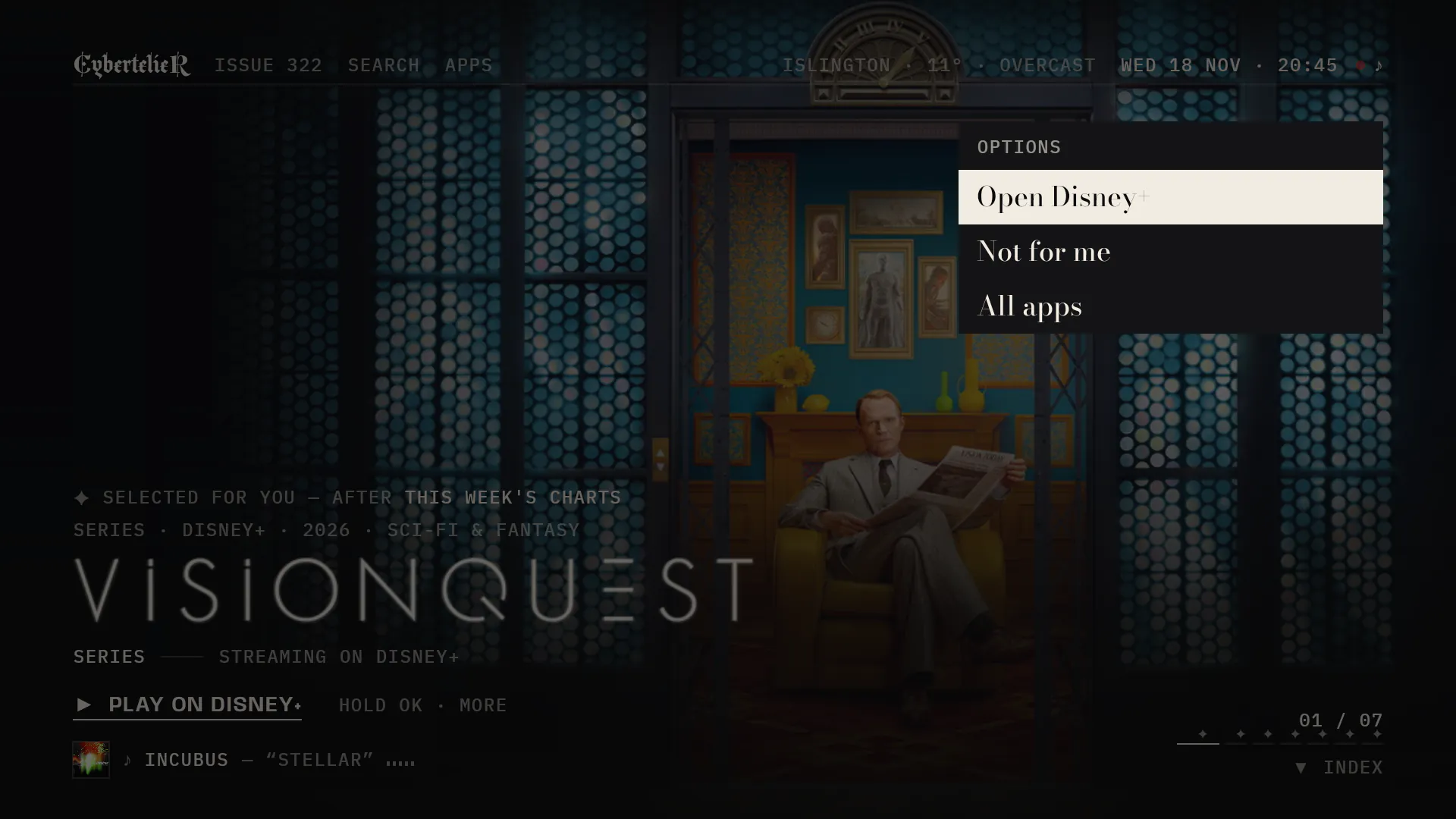
    Custom TV OS options sheet on the TV: a panel sheet with a bone focus row and an All apps entry, with illustrative third-party artwork

    Production · Options

  12. 12

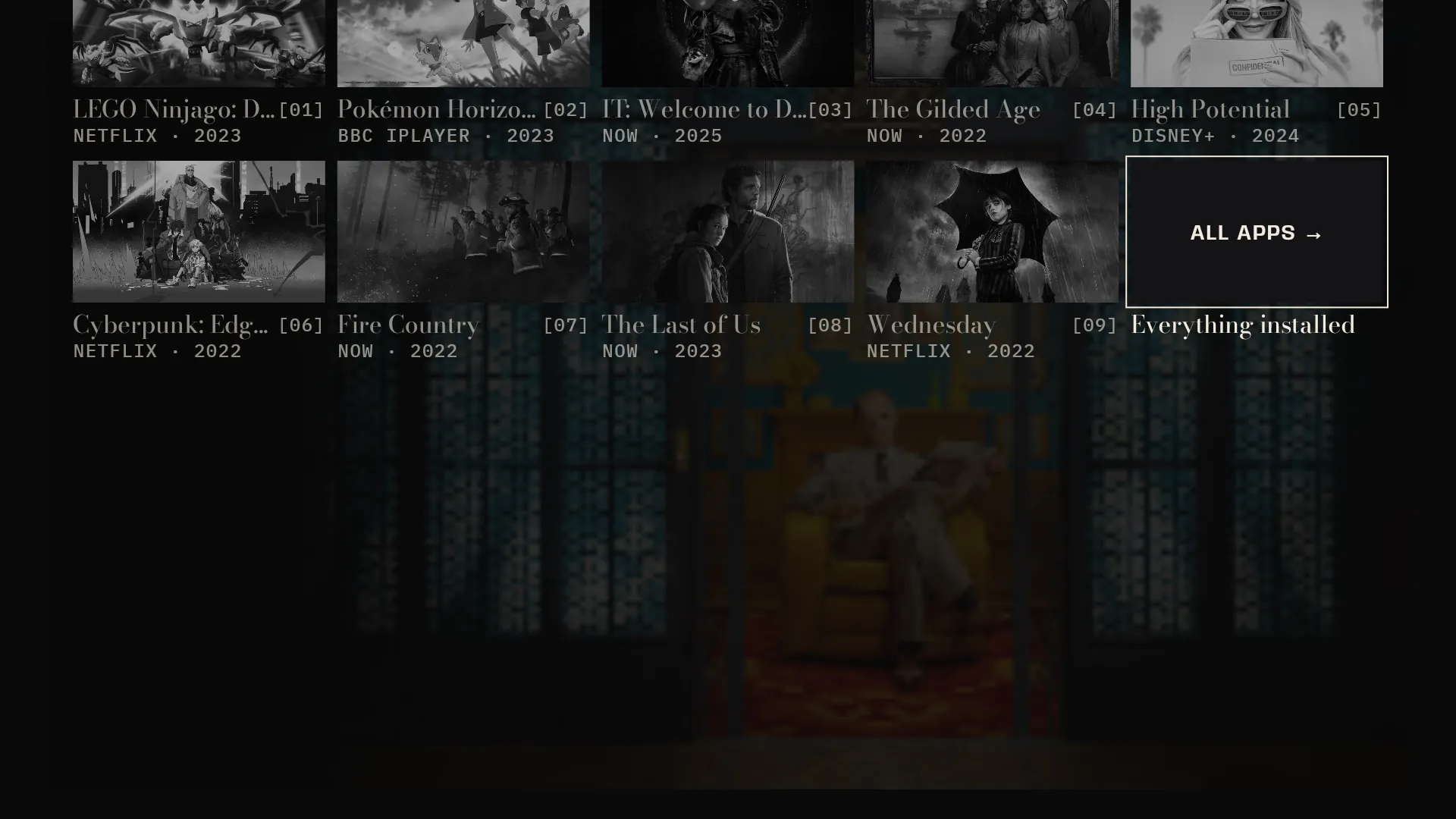
    Custom TV OS Index Archive on the TV with the All apps tile focused, with illustrative third-party artwork

    Production · All apps tile

  13. 13

    Custom TV OS Apps page on the TV: numbered list beside the focused-app plate, with illustrative third-party app marks and artwork

    Production · Apps

  14. 14

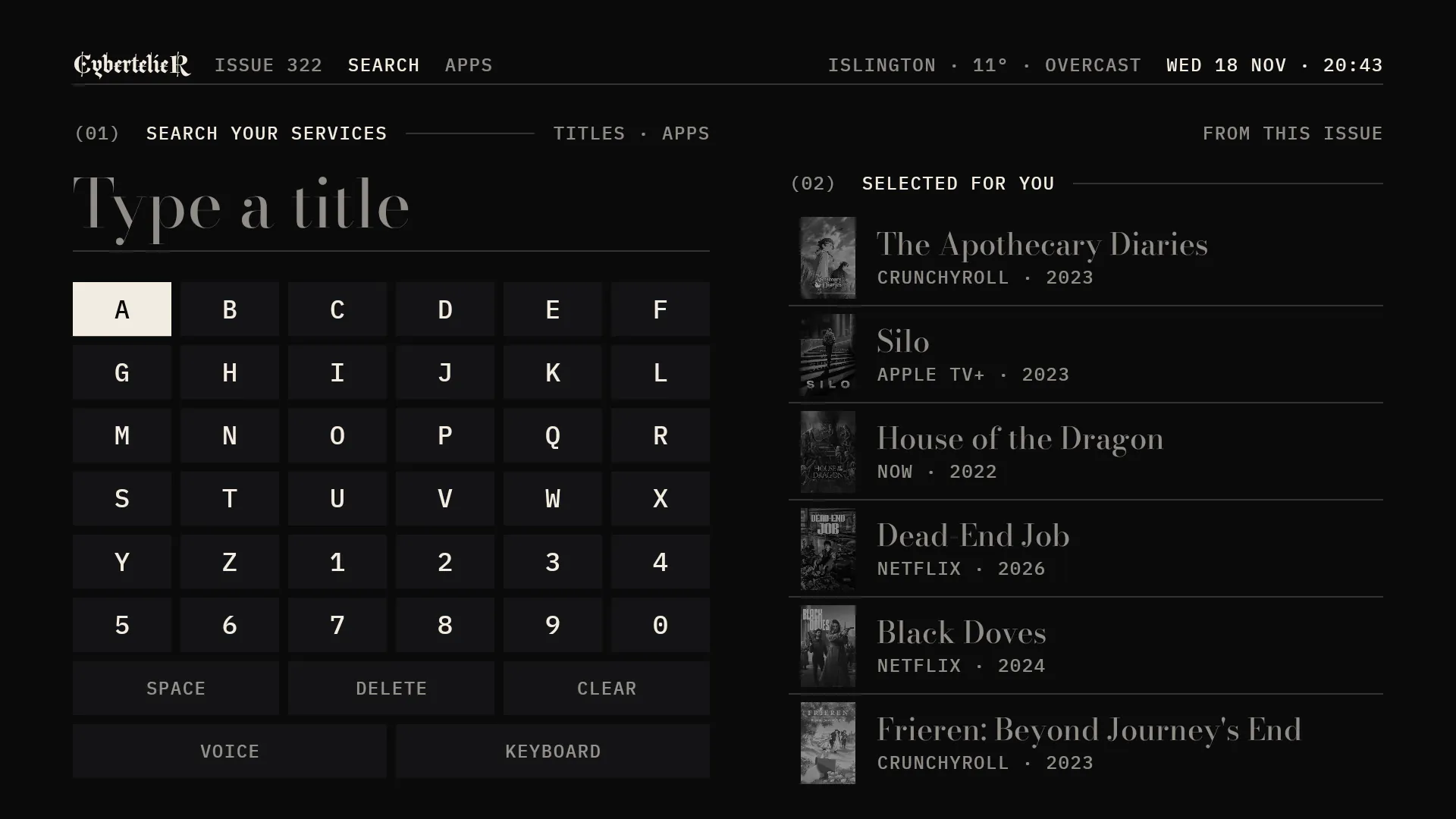
    Custom TV OS Search page on the TV before typing: on-screen keyboard and Selected for you, with illustrative third-party artwork

    Production · Search

  15. 15

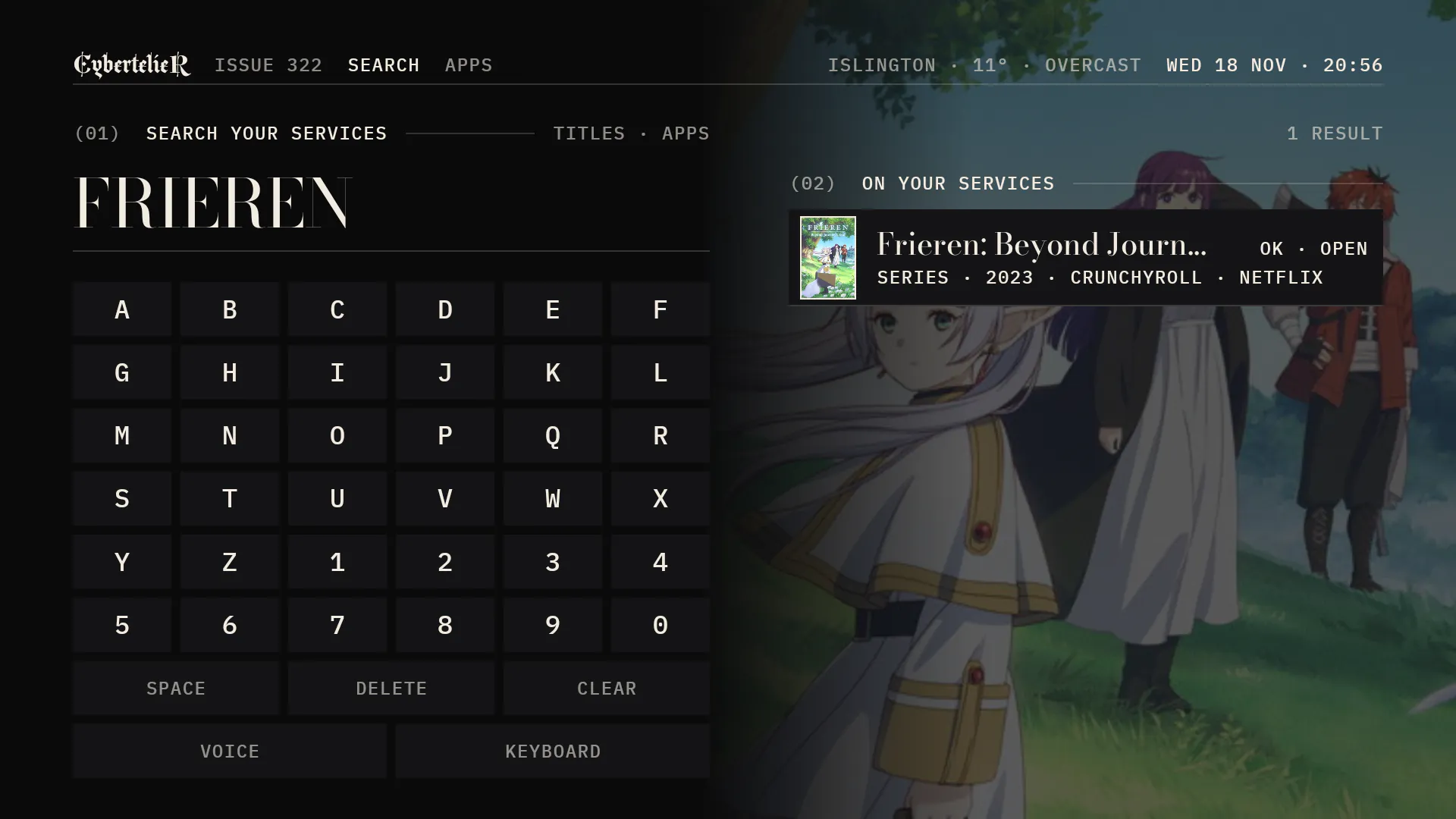
    Custom TV OS Search results on the TV: a focused result row with OK · Open over a dimmed backdrop, with illustrative third-party artwork

    Production · Results

  16. 16

    Custom TV OS idle clock on the TV: Bodoni time, date and weather in mono, the CybertelieR mark

    Production · Idle clock

Frames 01–09: the approved mock (boot, two covers, the screening state, the four Index sections). Frames 10–16, marked Production: on-TV captures.

Working

Executed by AI, Curated by Humans.

What changed through design and testing

The working, in four lines

What existed
The stock Google TV home on an Android 14 TCL set: a storefront, 175 packages installed, none switched off.
What changed
A home screen of my own took the Home role; twelve background packages were switched off; Cover, Index, Apps and Search were rebuilt in one editorial system.
What worked
Cutting the still dissolve from 1200 to 400 ms took the Cover from 25 to 12 ms a frame, p90, on the TV.
What was removed, deliberately
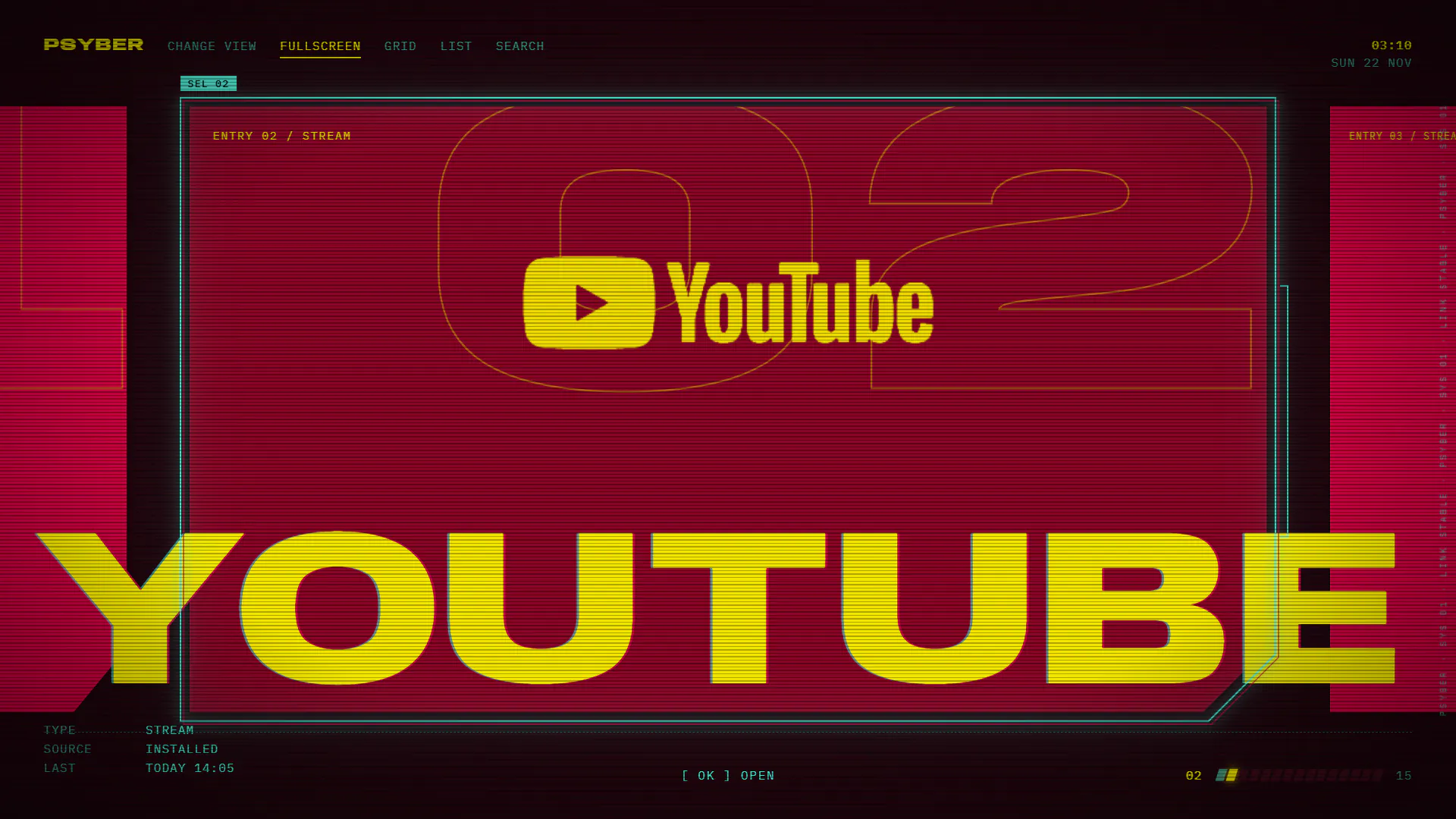
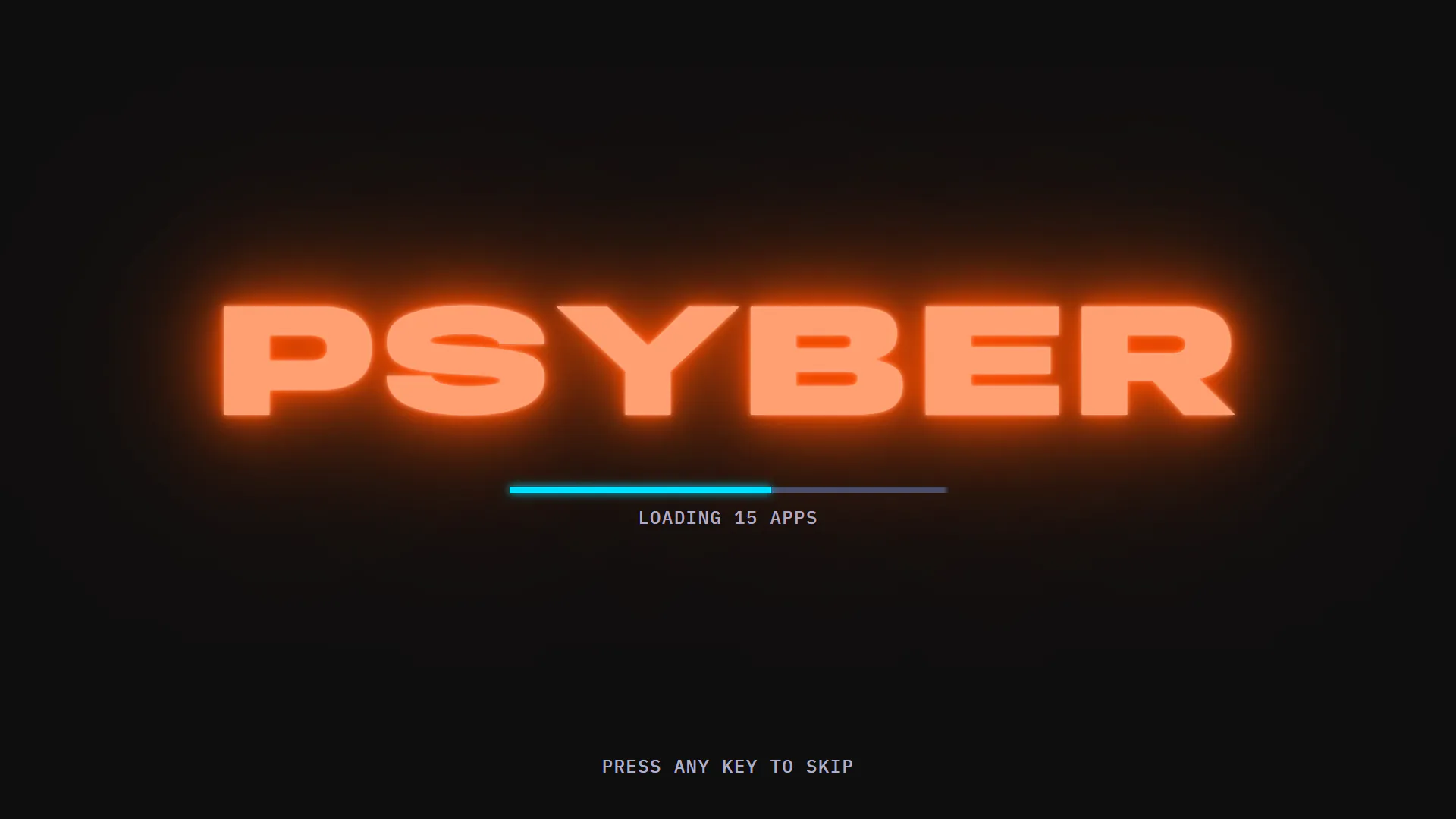
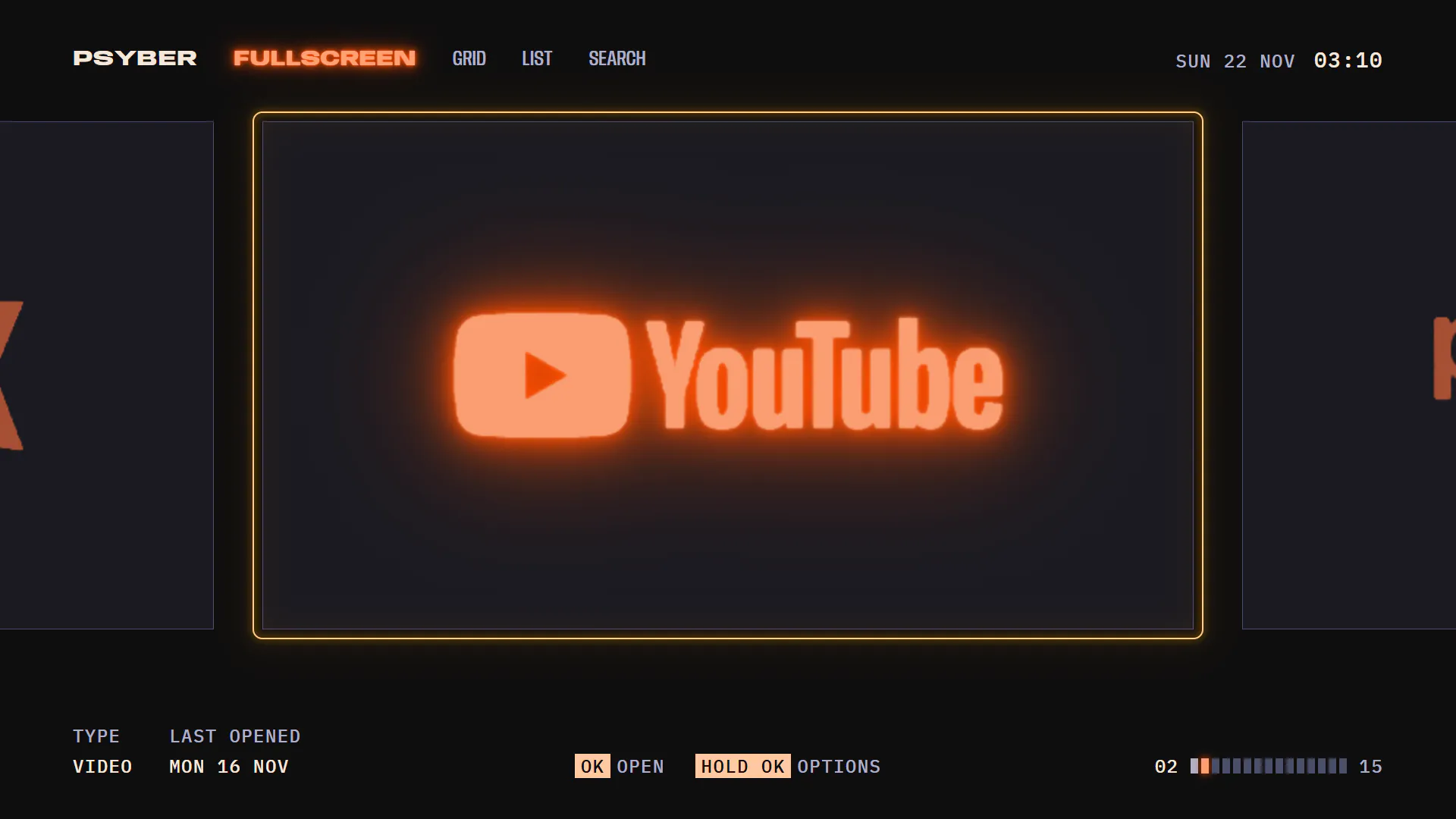
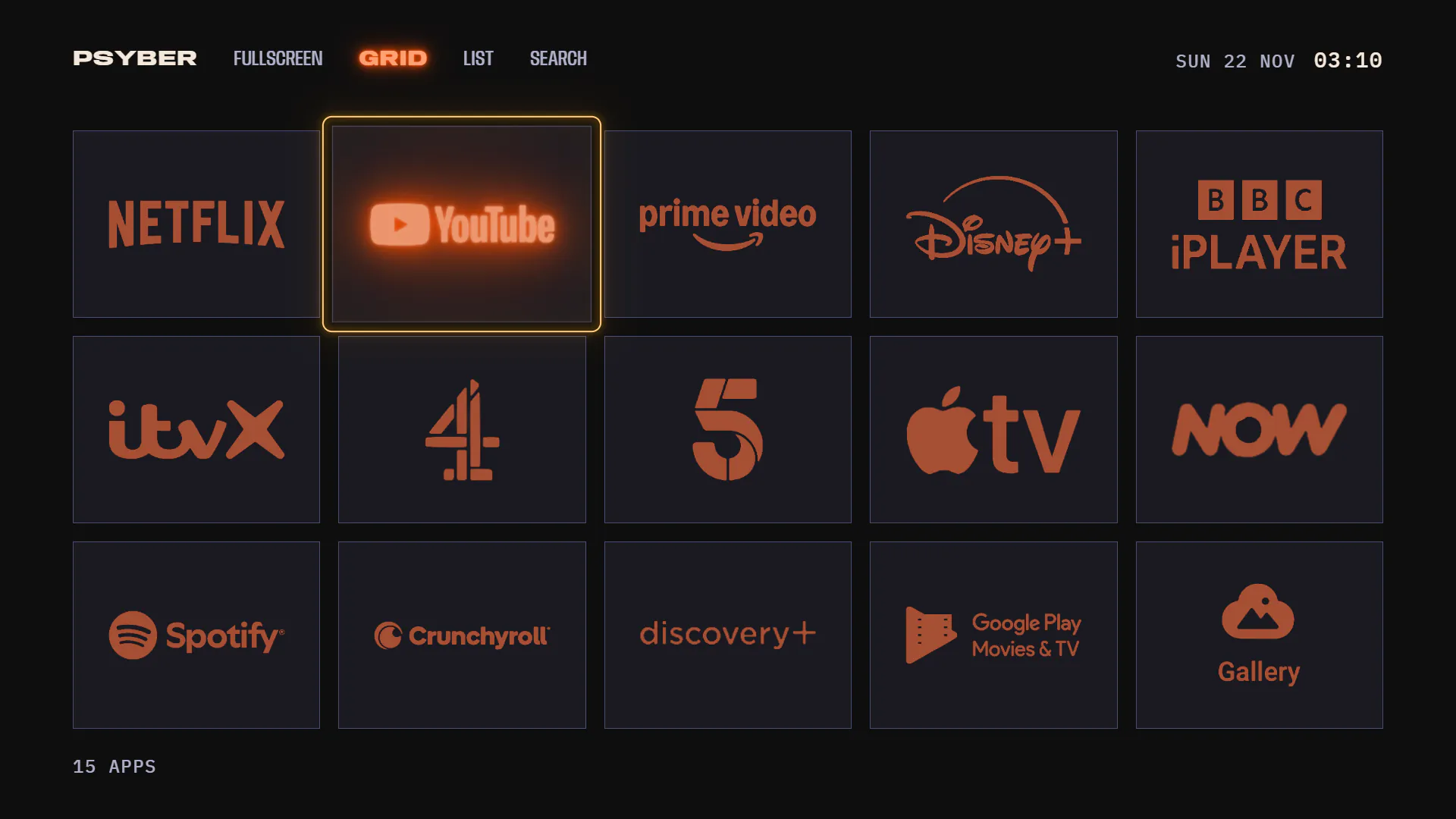
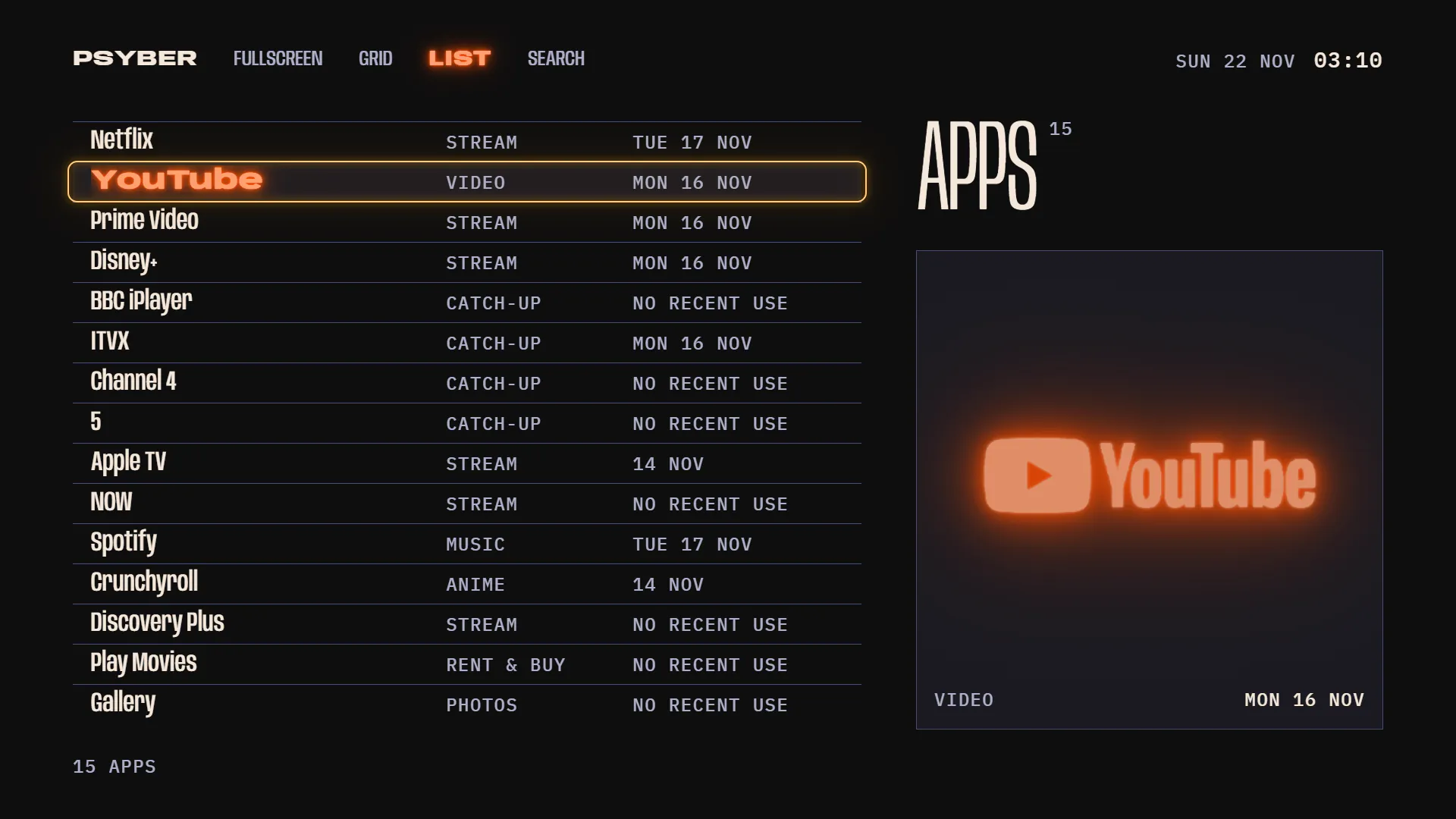
Forge’s neon focus and its amber and cyan; the Fullscreen, Grid and List views. One editorial index replaced all three.

Discarded Designs
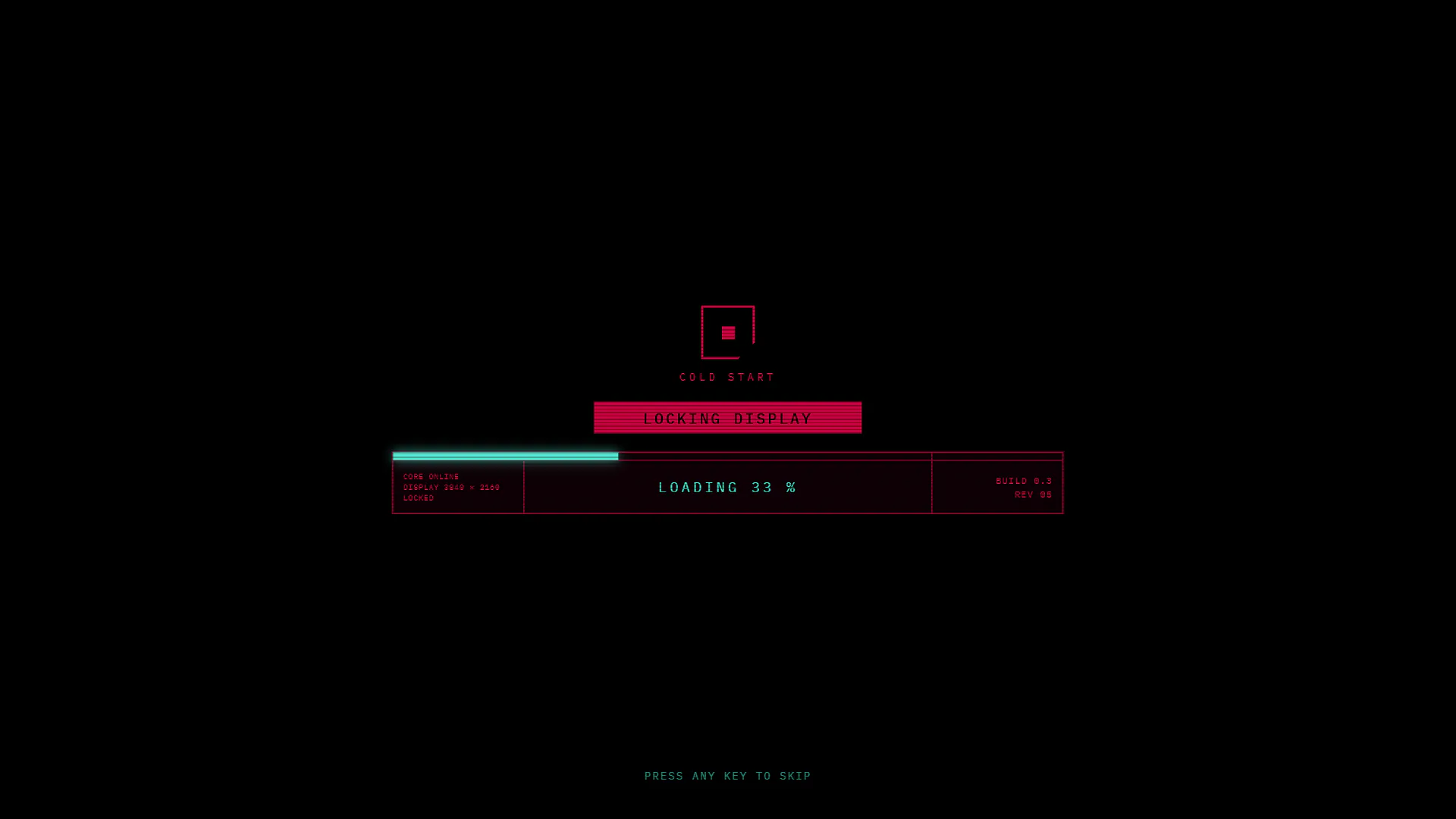
  1. 01

    HUD-style boot sequence, from discarded round 6
  2. 02

    Fullscreen 3D carousel launcher with oversized entry type, from discarded round 6, with an illustrative third-party app mark
  3. 03

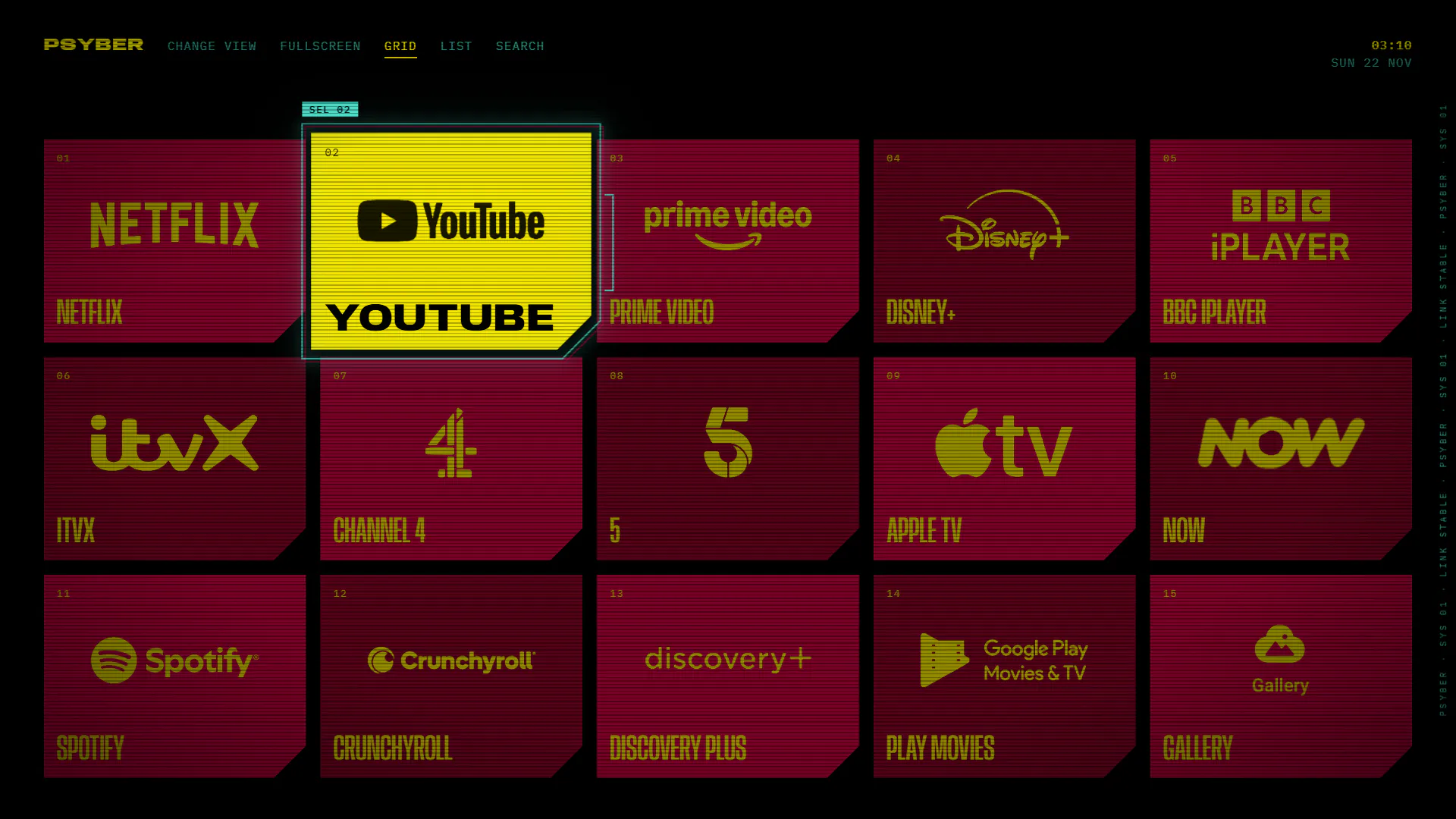
    Apps grid view with clipped-corner focus, from discarded round 6, with illustrative third-party app marks
  4. 04

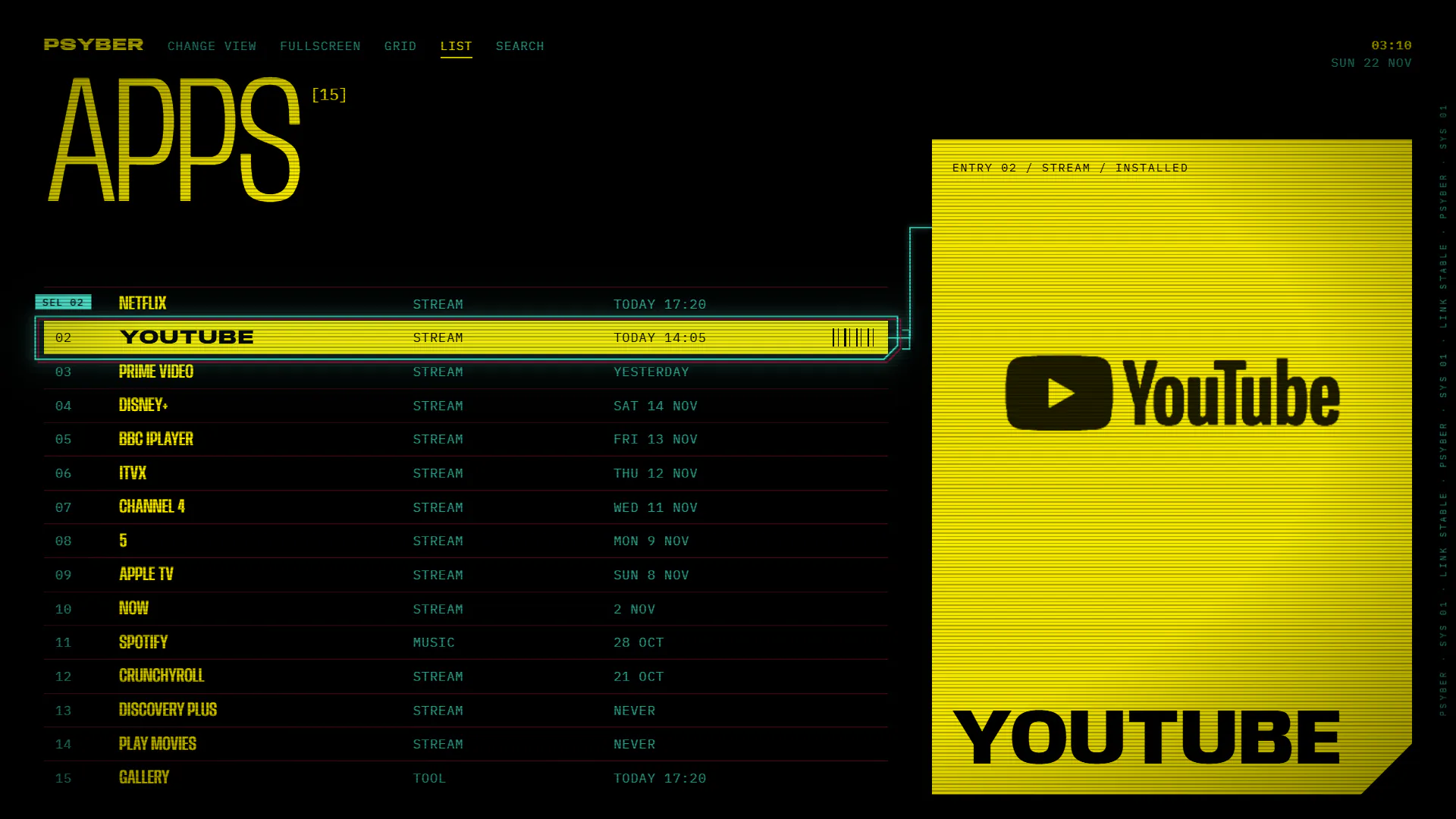
    Apps list view with preview panel, from discarded round 6, with illustrative third-party app names
  5. 05

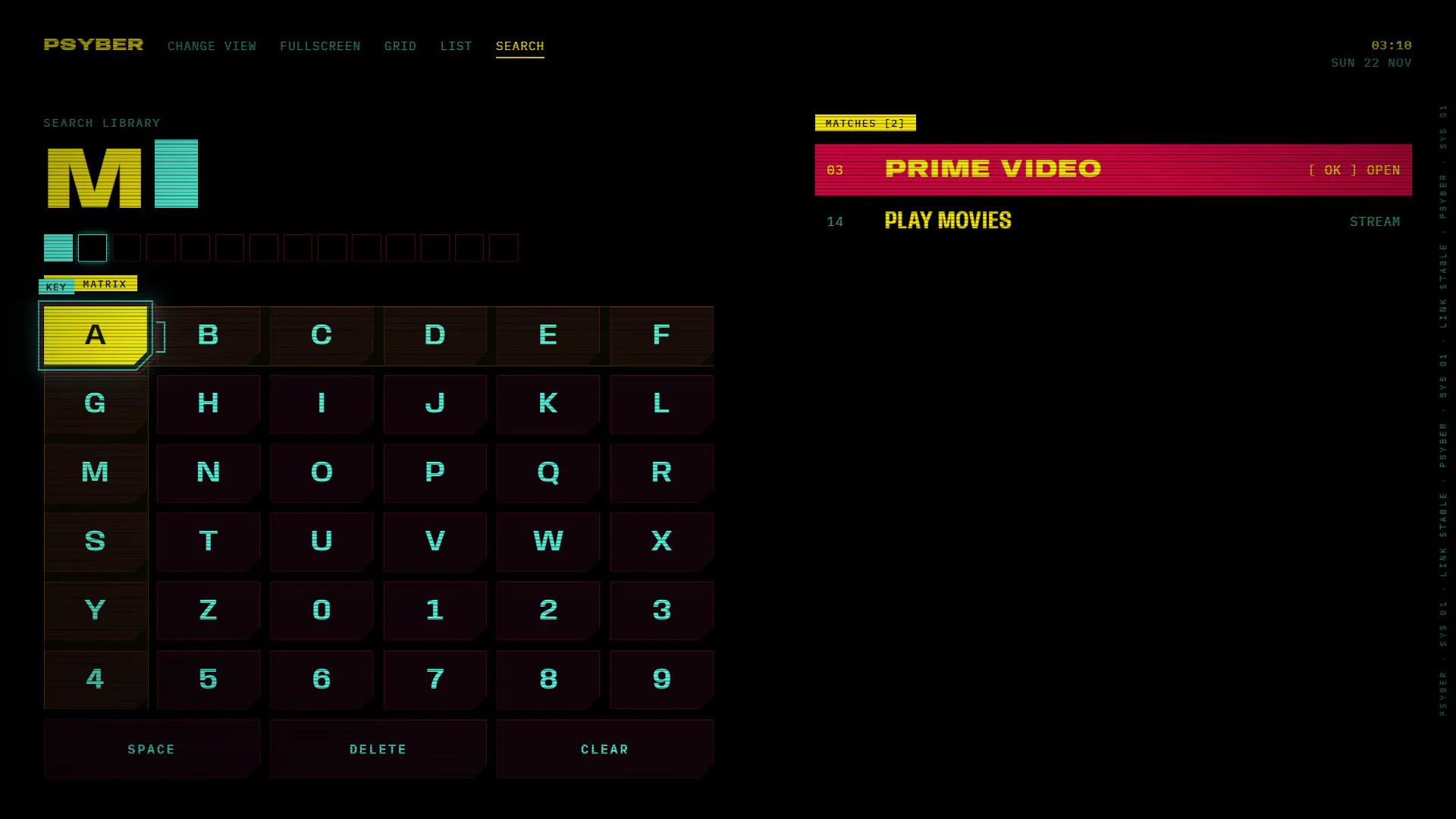
    Keyboard search view, from discarded round 6, with illustrative third-party app names
  6. 06

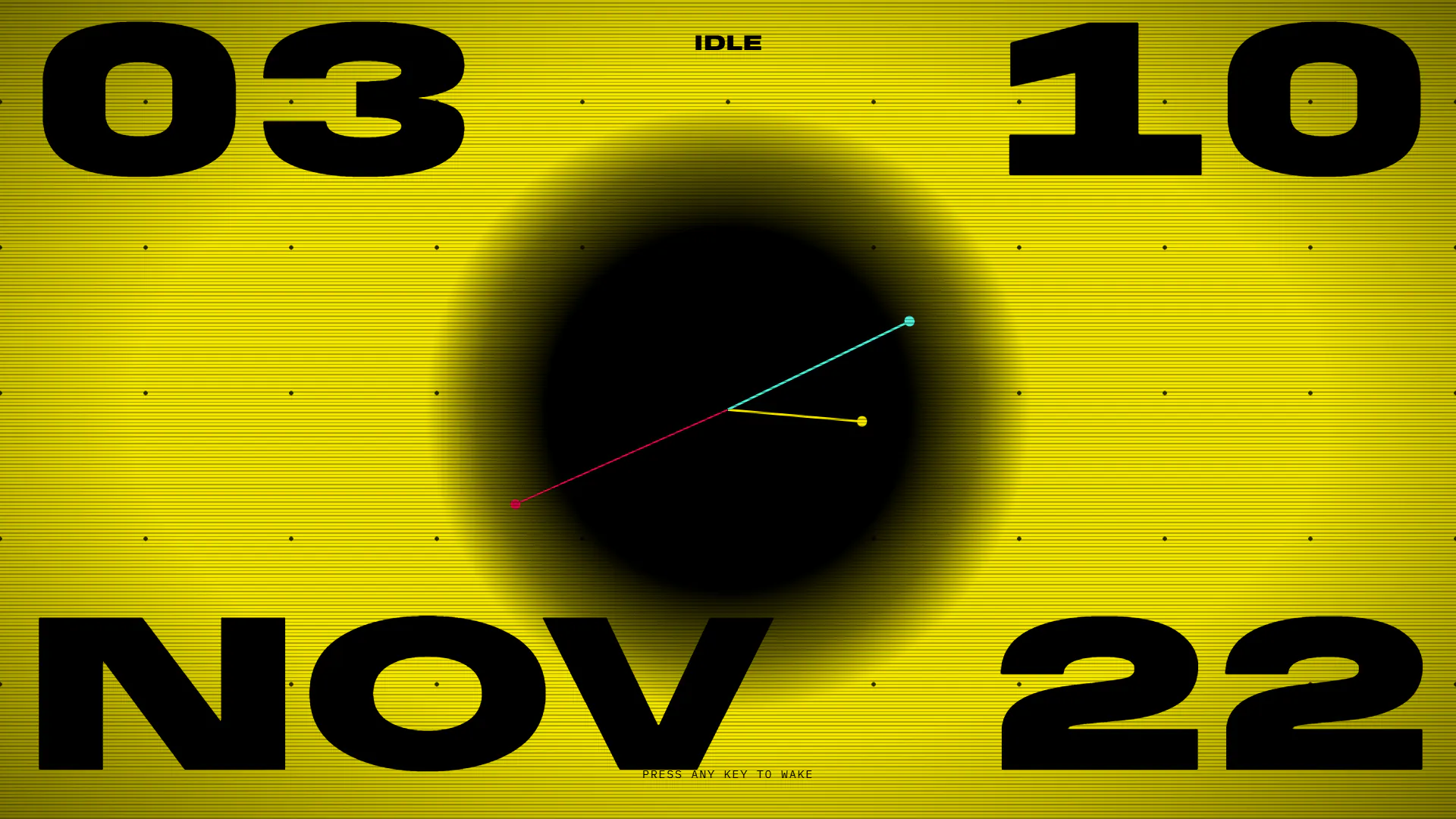
    Idle clock with radial dial, from discarded round 6
  7. 07

    Neon-tube boot with app-loading line, from the discarded Forge direction (round 8)
  8. 08

    Fullscreen one-app-at-a-time launcher, from the discarded Forge direction (round 8), with an illustrative third-party app mark
  9. 09

    Apps grid view with neon focus frame, from the discarded Forge direction (round 8), with illustrative third-party app marks
  10. 10

    Apps list view with type and last-opened columns, from the discarded Forge direction (round 8), with illustrative third-party app names
  11. 11

    On-screen keyboard app search, from the discarded Forge direction (round 8), with illustrative third-party app names
  12. 12

    Idle clock screensaver, from the discarded Forge direction (round 8)
Twelve frames from two discarded rounds: round 6 and round 8 (Forge).

Process

Every piece is a study.

Brief, reference, build, test, iterate: how this study ran.

Every piece is a study.#01 Brief: Initial Thesis. #02 Reference: Design Study. #03 Build: Generate Mock-ups. #04 Test: Live on TV. #05 Iterate: Analyse and Refine. Feedback loop from #05 Iterate back to #03 Build: Findings → next build.FINDINGS → NEXT BUILD#01BriefINITIAL THESIS#02ReferenceDESIGN STUDY#03BuildGENERATE MOCK-UPS#04TestLIVE ON TV#05IterateANALYSE AND REFINEEvery piece is a study.#01 Brief: Initial Thesis. #02 Reference: Design Study. #03 Build: Generate Mock-ups. #04 Test: Live on TV. #05 Iterate: Analyse and Refine. Feedback loop from #05 Iterate back to #03 Build: Findings → next build.FINDINGS → NEXT BUILD#01BriefINITIAL THESIS#02ReferenceDESIGN STUDY#03BuildGENERATE MOCK-UPS#04TestLIVE ON TV#05IterateANALYSE AND REFINE

Specimen

One serif voice.

  • Bodoni Moda 400Display · didone hairlines at 88 px and up

    An issue, made personal.

  • Bodoni Moda 400 italicOne accent per statement

    Make room for feeling.

  • IBM Plex Mono 500Telemetry, credits, captions · caps +0.08em

    ISSUE 322 · TUE 17 NOV · 23:14

  • Anybody 500Actions, masthead · caps +0.04em

    ▶ Resume

  • IBM Plex Sans 400Web reading text

    Couture in form. Cyber in response.

    Web body · 16–18 px · 1.55 leading · 46ch measure

Colour

  • bg · Obsidian#0A0A0BScreen
  • panel#141416Collapsed bands, hallmark ground, sheets
  • ink · Bone#F2ECE2Primary type
  • dim#F2ECE2 at 58%Secondary type, numerals
  • line#F2ECE2 at 18%Hairlines and rules only
  • signal#FF3B2FThe one loud colour, always with words

Type scale · TV reference px

  1. 24 px TV · metaTelemetry
  2. 28 px TV · labelActions
  3. 40 px TV · nameBand titles
  4. 88 px TV · titleSection heads
  5. 168 px TV · coverCover title
  6. 220 px TV · markSeal
  7. 360 px TV · displayIdle clock

Numbers

Precision, with a pulse.

On-TV performance against the design targets

Against the stock OS

Home screen · rows selling films
0rows
Counted row by row with the remote, both homes on the same TV at factory settings
Stock OS home 4 · of the 26 rows on its Home tab, every tile priced to rent or buy
Answers the brief · “sluggish, cluttered interfaces”
Launcher memory
112MB
PSS, every launcher process, settled on the home screen · median of 5 runs, same TV, factory settings · ours includes its WebView renderer (88 MB without it)
Stock OS home 170 MB · its two launcher processes, same method
Answers the brief · “strip away corporate bloatware”

Measured on the TV

Cover · frame time
12ms
p90 · on the TV, after the dissolve was cut to 400 ms
Target 16.6 ms · frame budget for any focus move, 60 fps
Target met
Apps · frame time
14–18ms
p90 · Apps page, warm · on the TV
Target 16.6 ms · frame budget, 60 fps
Target partly met · within budget at 14 ms, over it at 18 ms
Search · frame time
10ms
p90 · 66 frames, none janky · on the TV
Target 16.6 ms · frame budget, 60 fps
Target met
Launcher memory
88MB
PSS (proportional set size), the launcher’s memory use, WebView renderer not included · median of 5 runs · on the TV
Target ≤ 180 MB · with no trailer, so the launcher survives behind a video app
Target met

Design targets

1080p
UI reference: renders at 1920 × 1080, upscaled to the 4K panel
~3m
Viewing distance
D-pad
Input is the remote only
≤ 300ms
Home press to Cover visible, warm; ≤ 1.2 s cold, under the boot seal
8pt
Spacing scale: 8 · 16 · 24 · 32 · 48 · 64 · 96 · 128
520/ 760 ms
Glide and reframe, on one curve: (0.16, 1, 0.3, 1)

Verdict

Made by one. Made for more.

Learning, in public
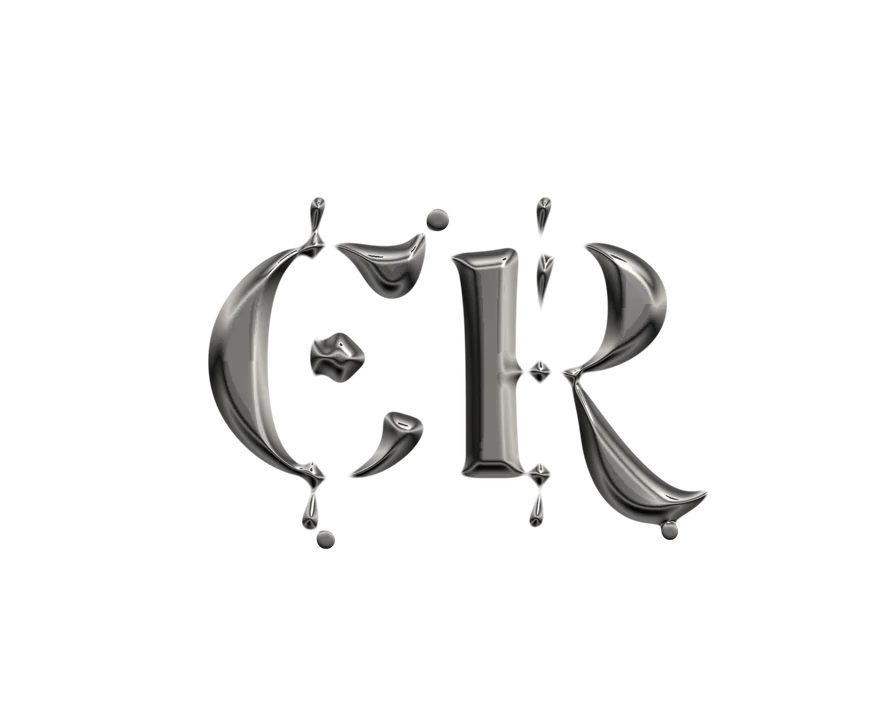
The Cybertelier CR monogram in molten chrome
Seal · Cybertelier · Volume 01

What I did

Creative direction, art direction, design studies, logo, identity and branding, type and colour system, motion direction, UI/UX design, prototyping, iteration, user acceptance testing on the TV, design presentation: all self-taught.

What AI did

Coding, system testing, root-cause debugging, on-TV performance profiling (frame times, memory), mock-up generation, design-log and test write-ups.

Verdict

Without AI, I would not have been able to build any of this in the time I did; AI enabled me to move fast and execute instantly. Without me, there would be no curiosity, no design direction and no cohesive solution integrity. AI has been an augmentation interface for my creativity.

Skills, as demonstrated

  1. 01Development & Integration

    Spec-driven development

  2. 02GenAI Solution Constructs

    Context engineering

  3. 03GenAI Solution Constructs

    Prompt engineering

  4. 04GenAI Platforms & Frameworks

    Agent orchestration

  5. 05GenAI Solution Constructs

    Guardrails & governance

  6. 06Core Competencies & Practices

    Human-in-the-loop evaluation

  7. 07Development & Integration

    Design systems & tokens

  8. 08Development & Integration

    Performance budgets

  9. 09Development & Integration

    Iterative delivery

Scrolls sideways: use the arrow keys.

View full CV